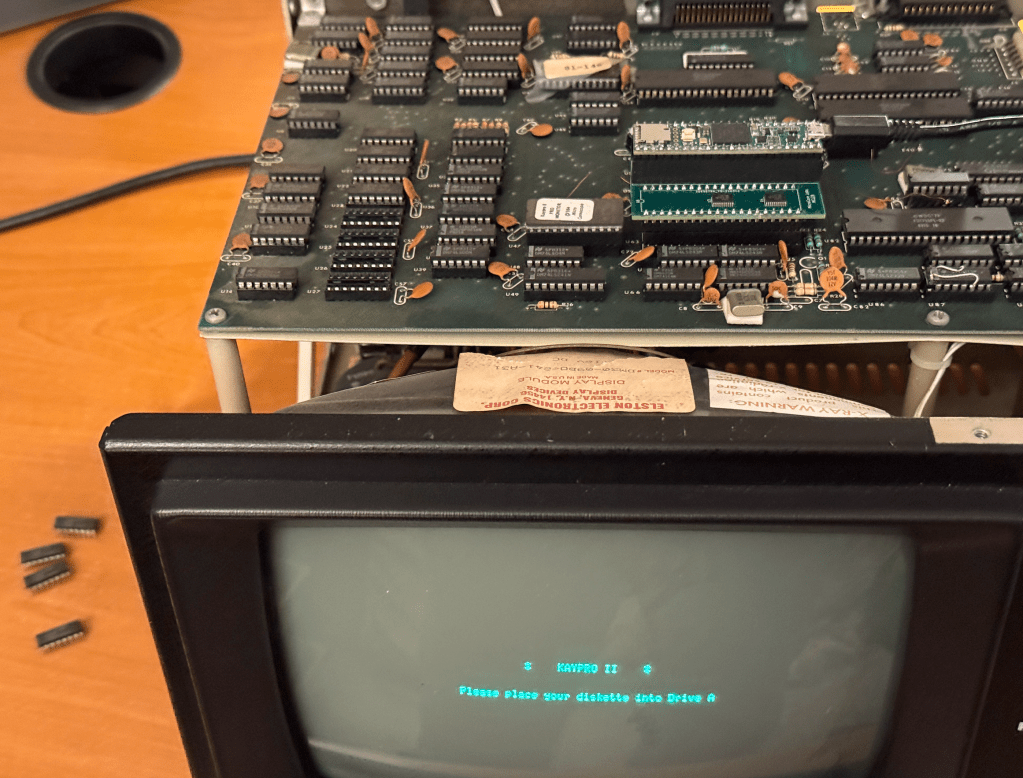
I was able to run a KayPro II using the MCLZ8 as the CPU.
The MCLZ8 is emulating all of the motherboard RAM plus the BIOS ROM.
While I was at it, I also uploaded updated code to GitHub which performs databus writes much faster by utilizing direct register writes. This should help increase margin for systems running at higher bus clock speeds.
The MCL_PetDoctor is a suite of diagnostic tests which run on the MCL65+ board which is a drop-in replacement for the 6502 CPU which can emulate a cycle accurate processor along with all all of the computer’s RAM and ROM.
The MCL_PetDoctor diagnostics perform exhaustive tests on a PET motherboard at the optimal location – right at the CPU socket. Generating bus cycles at here allows it to test, toggle, peek, poke, and evaluate most of the PET’s motherboard logic. For signals it cannot reach it can perform general signal toggling or perform targeted bus cycles to help the user isolate and root cause faults.
Results are reported over the Arduino/Teensy JTAG UART so the video system of the computer does not need to be operational. The simple Arduino IDE or any terminal emulator can be used. See the capture below of the MCL_PetDoctor running on a Commodore PET 4016.
MicroCore Labs
MCL65_PETDoctor
Commodore PET Board Tester
----------------------------------------------

Tests Menu
----------
1) Test DRAM
2) Test ROMs
3) Dump ROMs
4) Toggle all 6502 output signals
5) PEEK
6) POKE
7) 6502 Clock, Reset, and Interrupts
8) Video
9) PIA and VIA Registers

Scan for stuck bits in the RAM space..........No stuck bits.
Pattern #1: Address as data...
Pattern #2: All 0x00..........
Pattern #3: All 0xFF..........
Pattern #4: Walking 1's.......
Pattern #5: Walking 0's.......
Pattern #6: Random data.......


MicroCore Labs
MCL65_PETDoctor
Commodore PET Board Tester
----------------------------------------------

Tests Menu
----------
1) Test DRAM
2) Test ROMs
3) Dump ROMs
4) Toggle all 6502 output signals
5) PEEK
6) POKE
7) 6502 Clock, Reset, and Interrupts
8) Video
9) PIA and VIA Registers

Generating 16-bit Checksums for ROMs..........
0xB000 Checksum: 4168
0xC000 Checksum: 5960
0xD000 Checksum: a425
0xF000 Checksum: cf19


Scan for stuck bits in the ROM space..........No stuck bits.


MicroCore Labs
MCL65_PETDoctor
Commodore PET Board Tester
----------------------------------------------

Tests Menu
----------
1) Test DRAM
2) Test ROMs
3) Dump ROMs
4) Toggle all 6502 output signals
5) PEEK
6) POKE
7) 6502 Clock, Reset, and Interrupts
8) Video
9) PIA and VIA Registers

PEEK from address: 0x123  DATA=0x1d


MicroCore Labs
MCL65_PETDoctor
Commodore PET Board Tester
----------------------------------------------

Tests Menu
----------
1) Test DRAM
2) Test ROMs
3) Dump ROMs
4) Toggle all 6502 output signals
5) PEEK
6) POKE
7) 6502 Clock, Reset, and Interrupts
8) Video
9) PIA and VIA Registers

POKEing DATA=0x5a to Address: 0x123


MicroCore Labs
MCL65_PETDoctor
Commodore PET Board Tester
----------------------------------------------

Tests Menu
----------
1) Test DRAM
2) Test ROMs
3) Dump ROMs
4) Toggle all 6502 output signals
5) PEEK
6) POKE
7) 6502 Clock, Reset, and Interrupts
8) Video
9) PIA and VIA Registers

6502 receiving a CLK........YES
6502 RESET level ...........HIGH
6502 IRQ_n level............HIGH
6502 NMI_n level............HIGH


MicroCore Labs
MCL65_PETDoctor
Commodore PET Board Tester
----------------------------------------------

Tests Menu
----------
1) Test DRAM
2) Test ROMs
3) Dump ROMs
4) Toggle all 6502 output signals
5) PEEK
6) POKE
7) 6502 Clock, Reset, and Interrupts
8) Video
9) PIA and VIA Registers

Filling PET screen with random letters..........


MicroCore Labs
MCL65_PETDoctor
Commodore PET Board Tester
----------------------------------------------

Tests Menu
----------
1) Test DRAM
2) Test ROMs
3) Dump ROMs
4) Toggle all 6502 output signals
5) PEEK
6) POKE
7) 6502 Clock, Reset, and Interrupts
8) Video
9) PIA and VIA Registers

PIA-1 Control-A Register FAIL 2a
PIA-1 Control-B Register FAIL aa
PIA-1 Control-A Register FAIL 19
PIA-1 Control-B Register FAIL 19
VIA Port-B Control Register FAIL cf


MicroCore Labs
MCL65_PETDoctor
Commodore PET Board Tester
----------------------------------------------

Tests Menu
----------
1) Test DRAM
2) Test ROMs
3) Dump ROMs
4) Toggle all 6502 output signals
5) PEEK
6) POKE
7) 6502 Clock, Reset, and Interrupts
8) Video
9) PIA and VIA Registers
The MCL_PetDoctor tests are written in simple C code and compiled/downloaded using the Arduino IDE so additional and custom tests can easily be added.
I recently acquired and restored a Commodore PET 4016, so I thought it might be fun to try replacing the CPU with an MCL65+ 6502 drop-in replacement board to see how it performs. I also was interested to see how much faster the PET can operate when running in some acceleration modes!
My PET 4016, which normally contains 16 KB of DRAM, was upgraded to 32 KB by a previous user. This motherboard had holes drilled in the second DRAM bank by Commodore to keep users from upgrading their 4016 machines to 32 KB in and to force them to buy a PET 4032. This user simple hand-soldered the drilled out connections and upgraded it anyway!
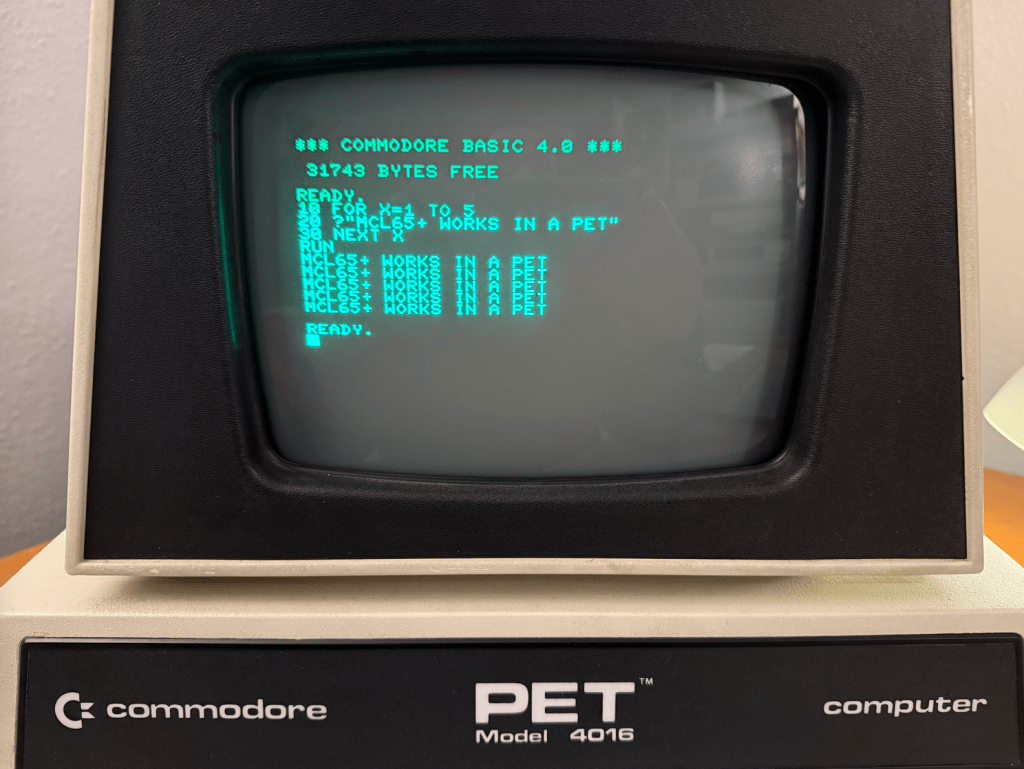
As soon as I installed the MCL65+ it was able to booting the PET and I was able to run a small BASIC program. It had no trouble replacing the 6502 in the computer.
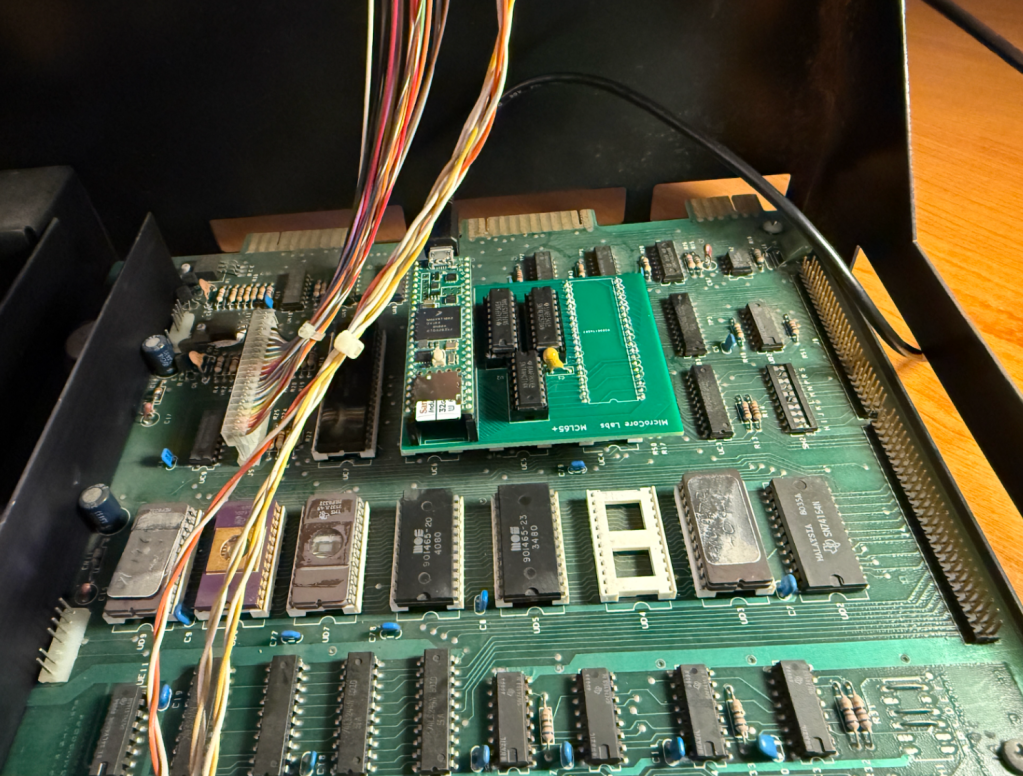
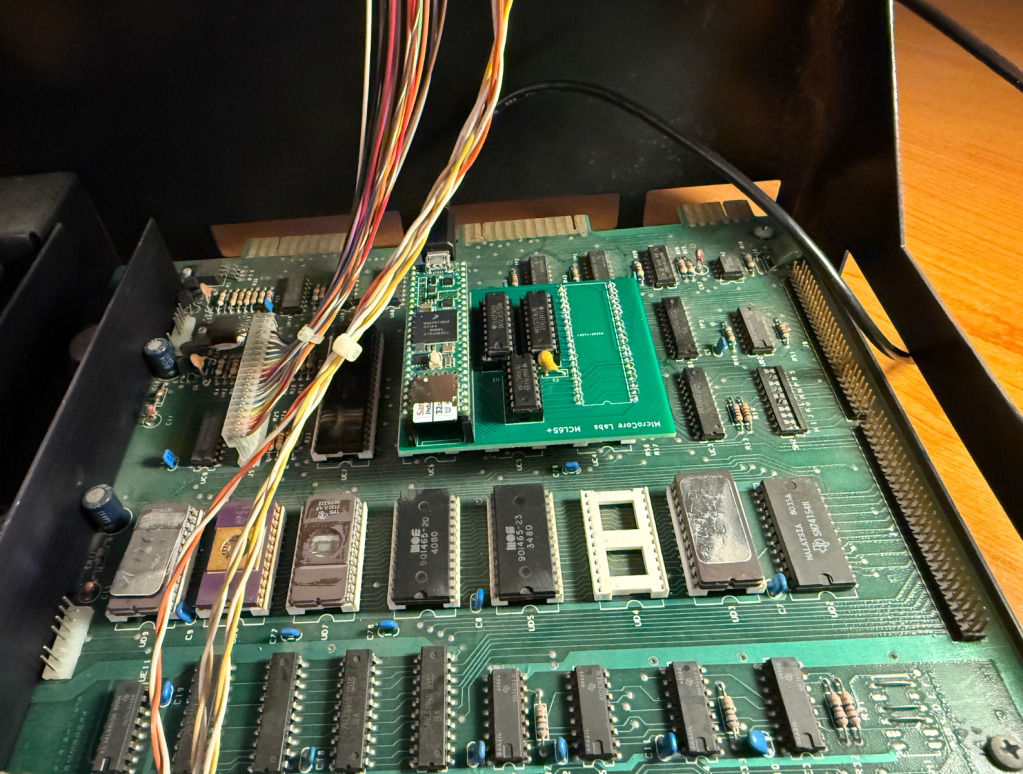
This is the MCL65+ installed in the computer’s CPU socket – replacing the 6502.
The next step was to test a theory that I had – I wondered if a .PRG program file could be loaded and run directly from the PET’s memory without needing a disk drive. This turned out to be the case!
The first two bytes of a .PRG binary file contains the memory address to locate the program and the rest of the file is simple the stream of binary data for the program. I simple converted the .PRG files to a string of hex data, placed it in an array in the MCL65+ code, and loaded it when the user presses a key.
Once the program was loaded I just needed to type RUN in BASIC and the program started up!
Being able to replace the 6502 and run programs directly from the internal memory was interesting, but I though it would be even more amusing to try some acceleration modes of the MCL65+ to see how fast we can run a Commodore PET.
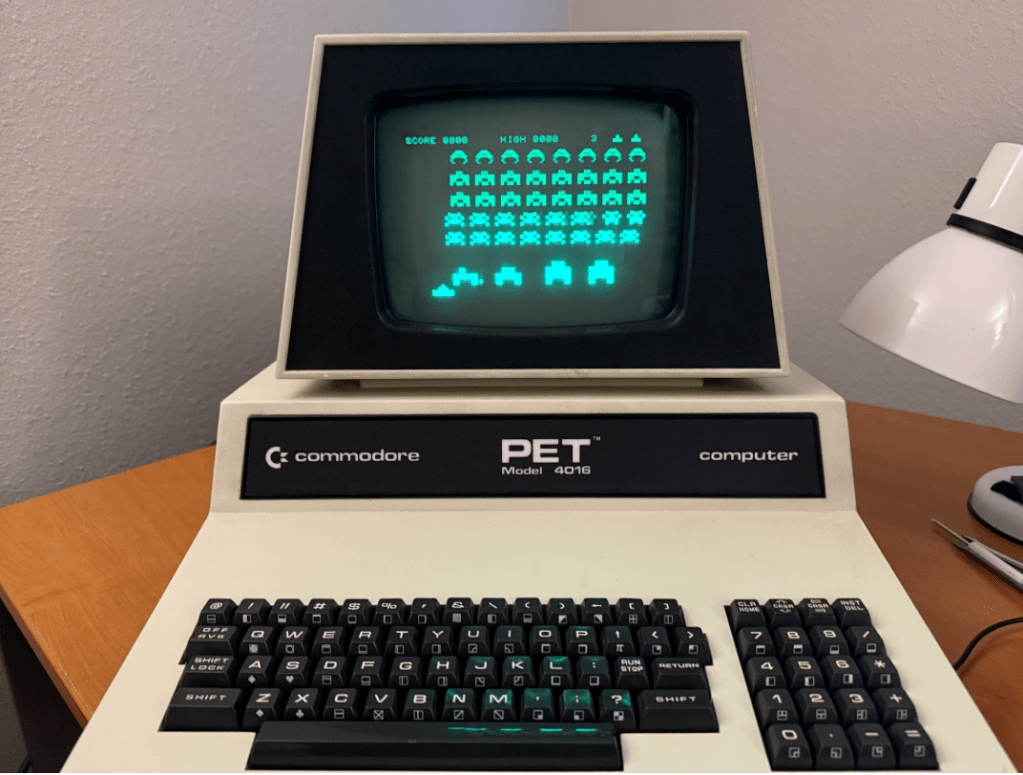
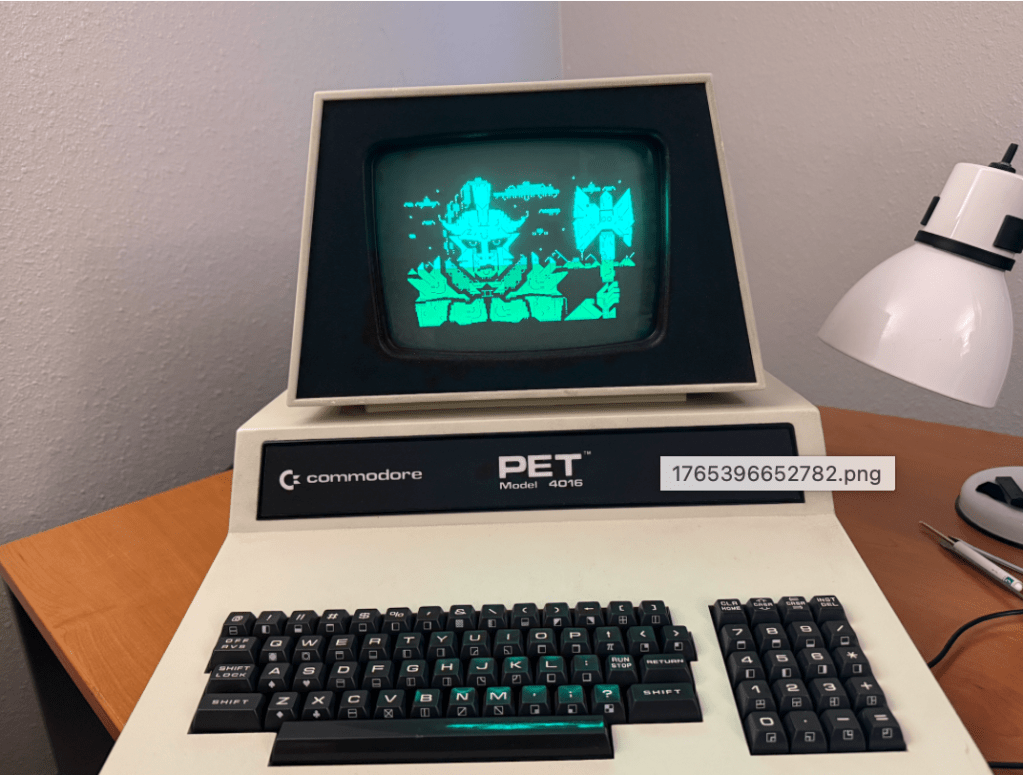
Here is a video demonstration of me running a few programs and diagnostics using a few acceleration modes:
The MCL65+ uses a Teensy 4.1 which contains 1 MB of memory so it can easily emulate all of the PET’s ROM and RAM. With just a few line of code it can emulate different PET ROM images and diagnostic ROMs, support different sizes of system memory, and can mirror these memories in a cycle accurate or accelerated manners.
The video shows the computer running three acceleration modes. Mode-1, Mode-2, and Mode-3.
Mode-1 is cycle accurate where the MCL65+ runs just like a stock 6502 and is cycle accurate for both reads and writes. Mode-2 is cycle accurate on writes but accelerated on reads. Mode-3 is accelerated on both reads and writes. The accelerated modes store all of the computer’s RAM and ROM inside of the MCL65+ internal memory and run it at the maximum speed of the Teensy which is 900 MHz and clock accuracy is not observed.
I believe this machine is now the World’s Fastest Commodore PET!


 MicroCore Labs