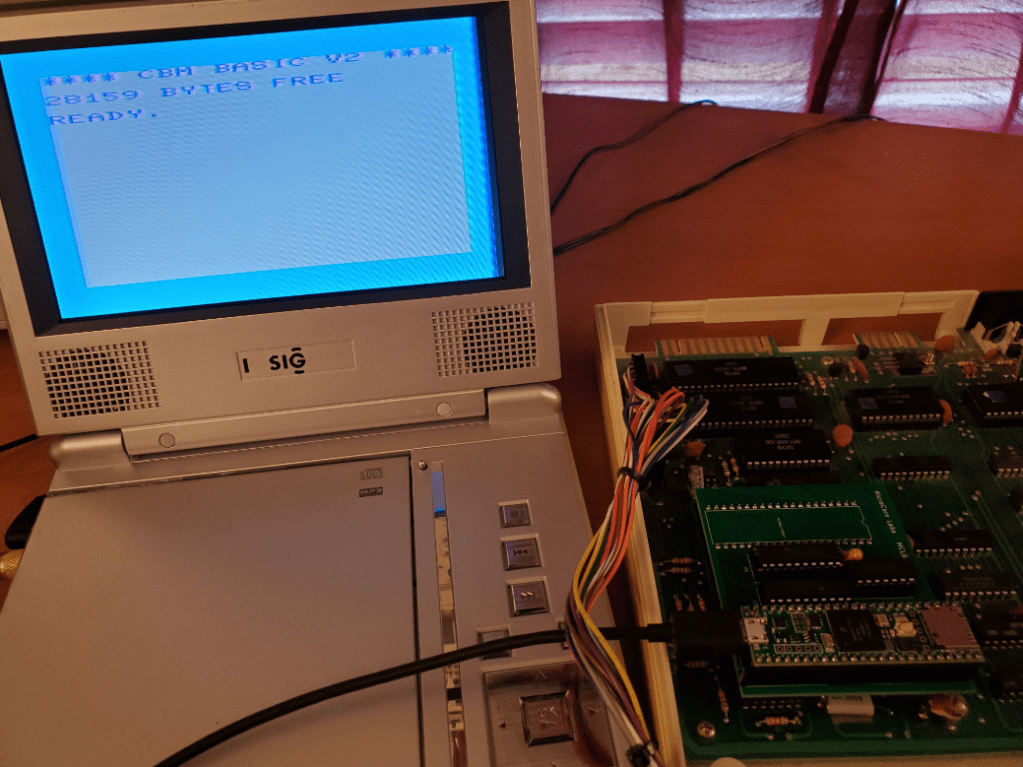
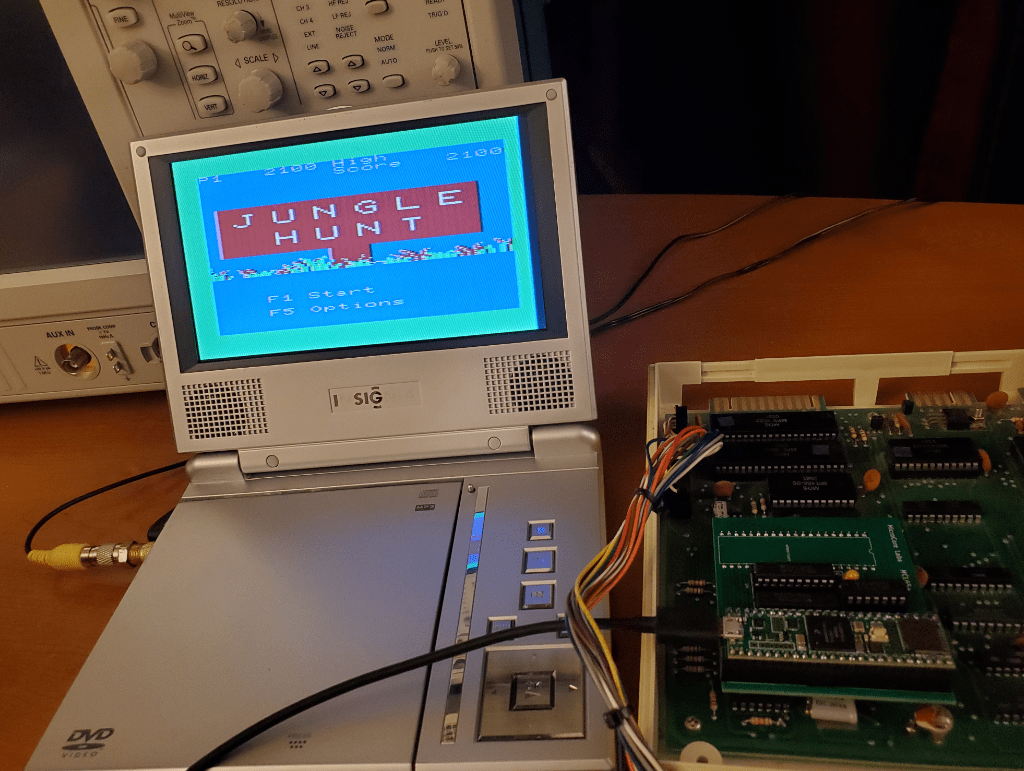
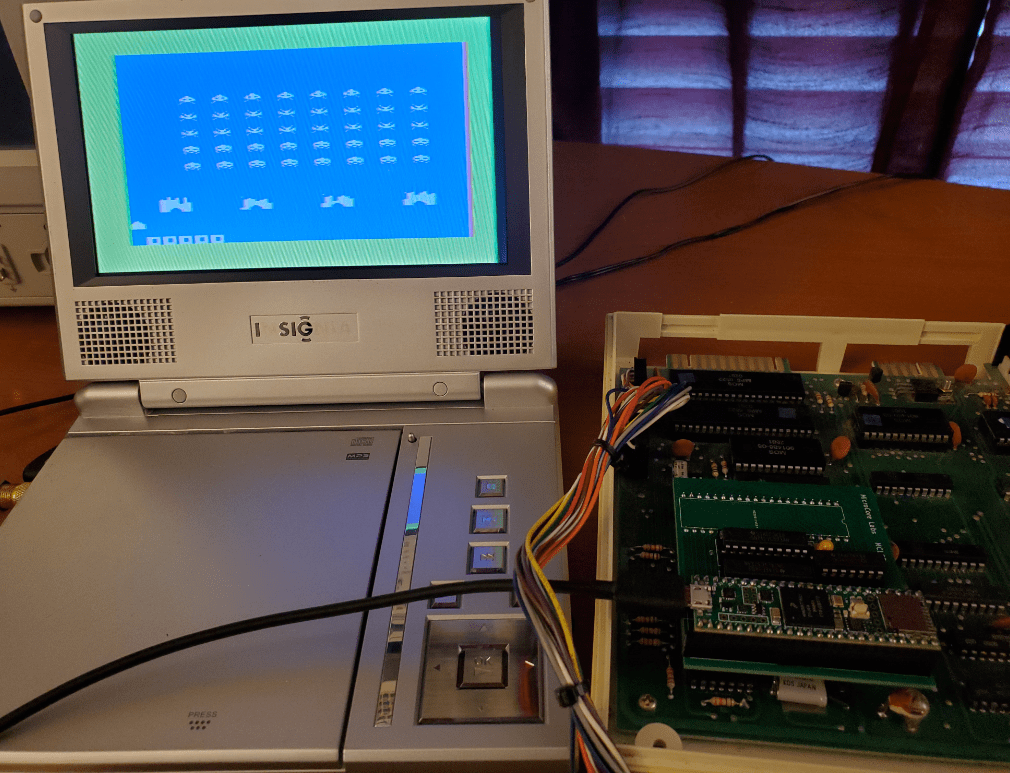
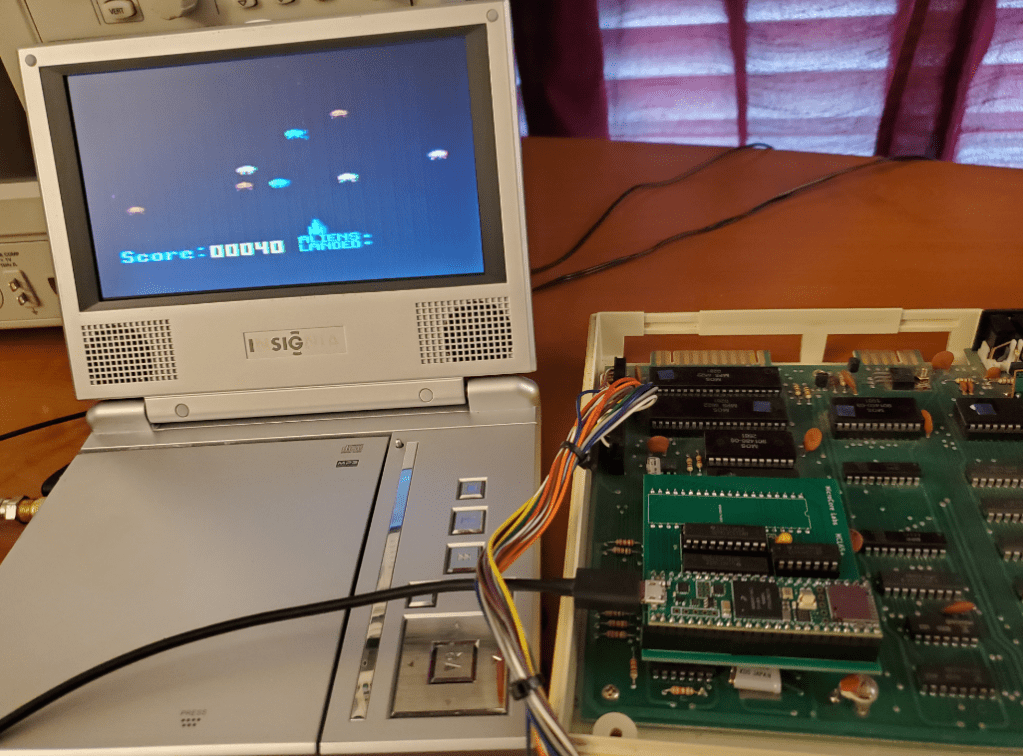
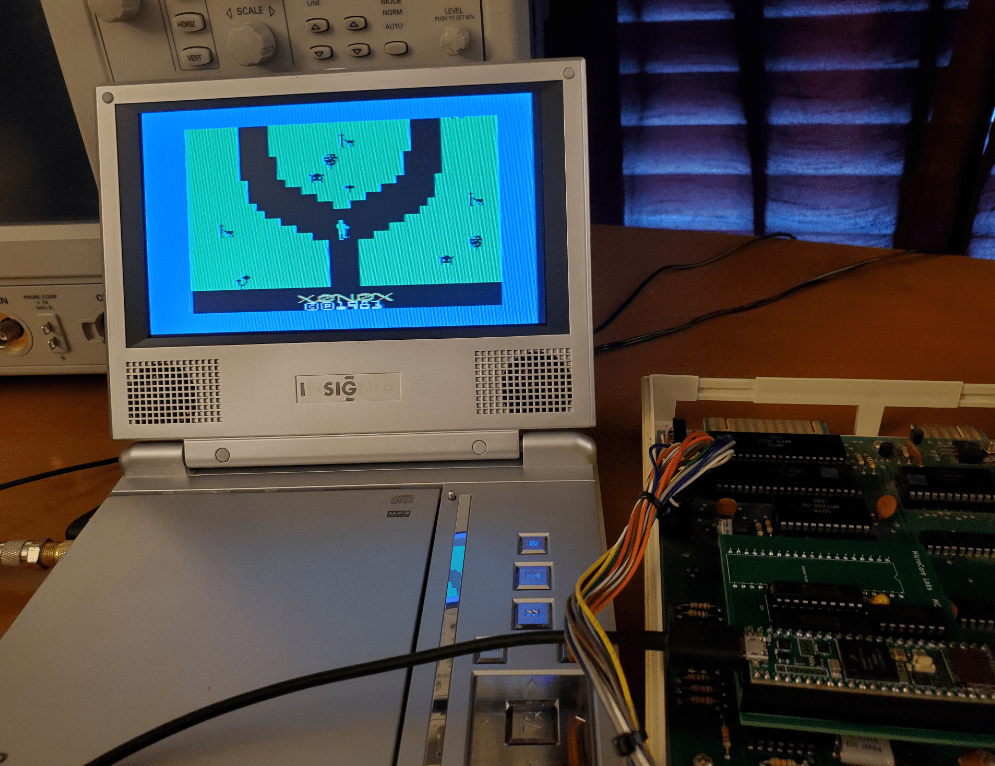
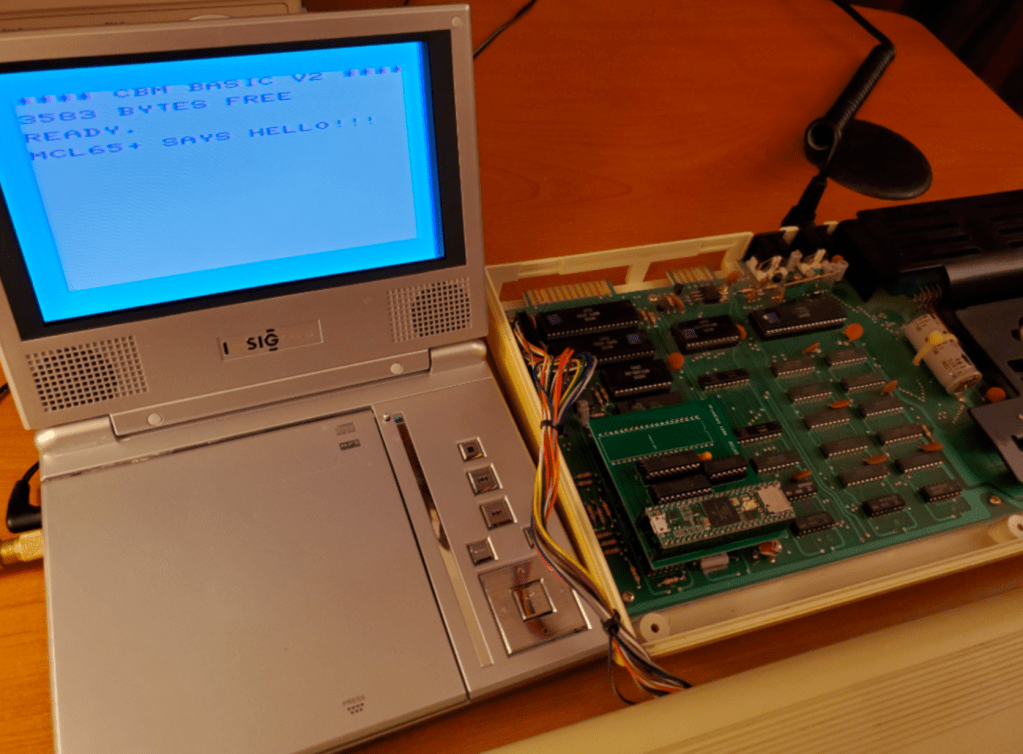
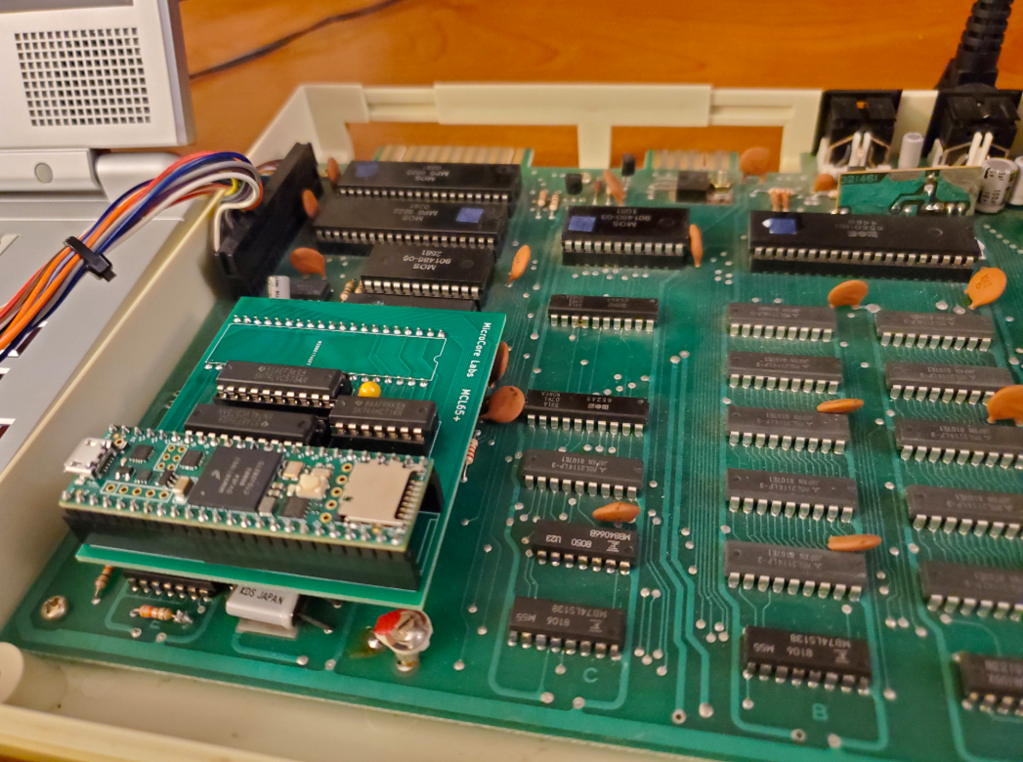
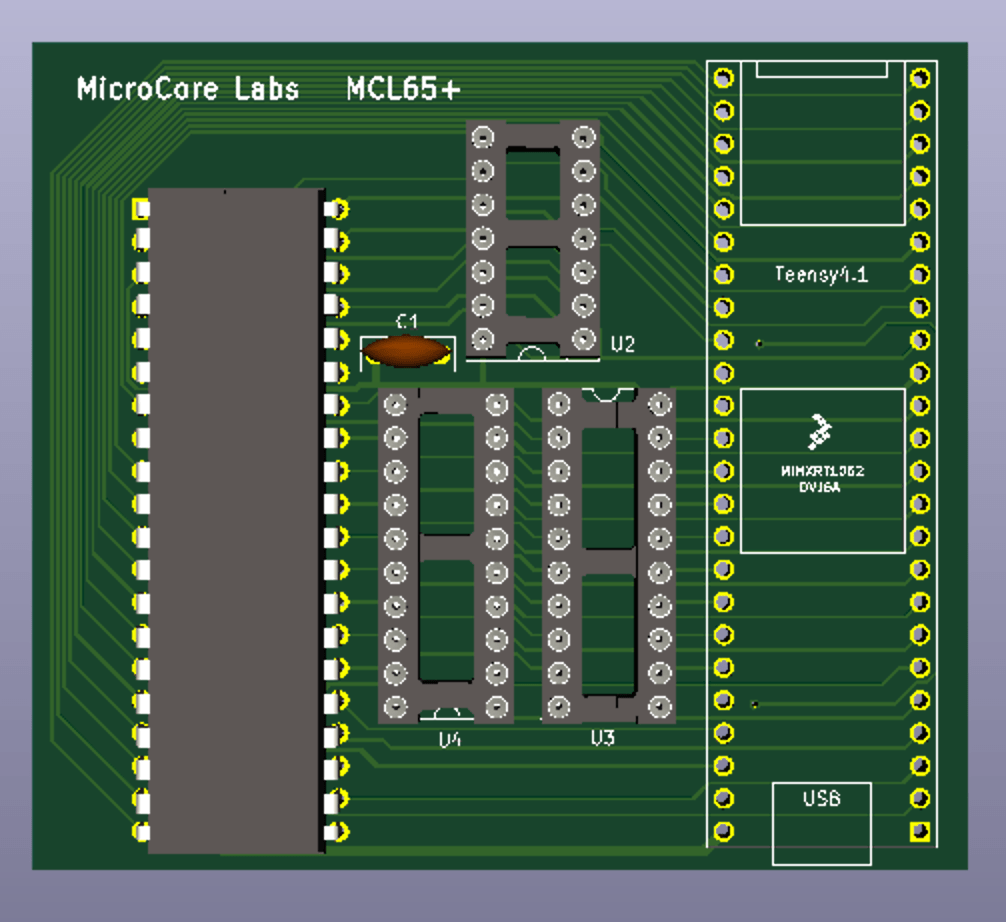
The MCL65+ boards came in last week and the parts just arrived today, so I soldered one of them together and swapped it for the 6502 in my VIC-20… I had some luck as you can see below! 🙂
The next step will be to use some of the Teensy’s RAM to expand the VIC-20’s memory, then try loading one of the VIC-20’s cartridges on-chip as well. I actually don’t have any VIC-20 cartridges, tapes, or disks, so once I can load ROMs into memory it will be fun to be able to run any of them!
The emulated 6502 has the memory interface abstracted from the CPU, so in theory I can accelerate the core by accessing some memory ranges using internal memory rather than going out to the 1Mhz bus interface. In this accelerated mode the 6502 would run at 600Mhz! 🙂
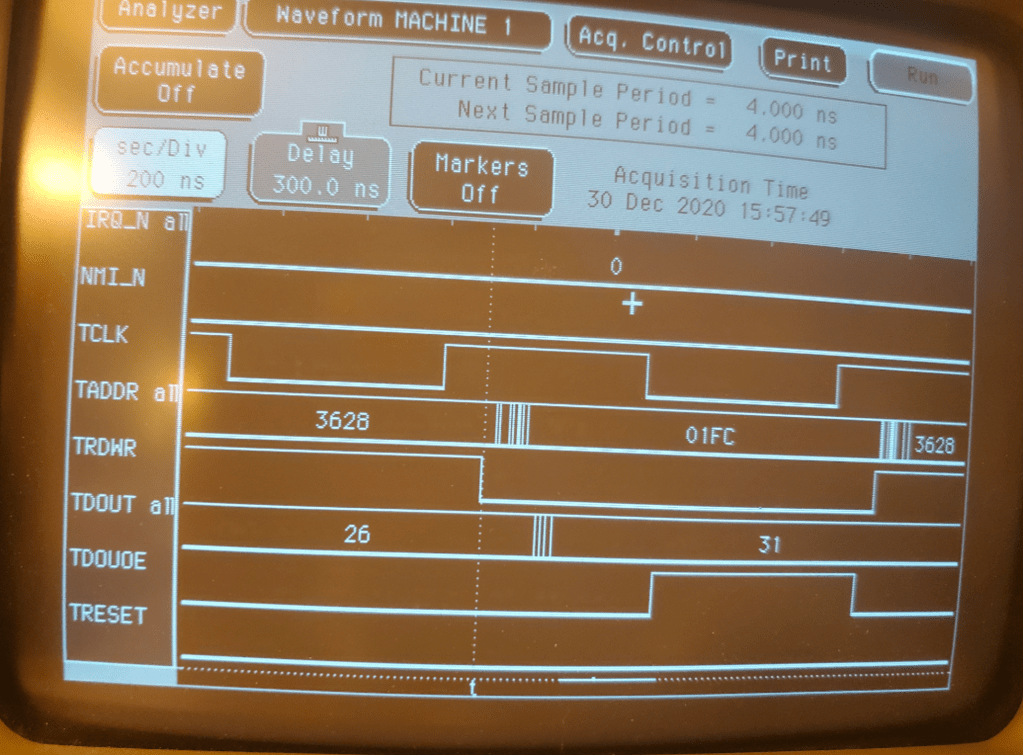
I used a logic analyzer to observe the 6502 bus timing that I able to achieve and it appears to have under 300ns clock to out for the address bus which is within spec. It is difficult to implement parallel GPIO input and outputs with the Teensy 4.1, so I decided to use parallel inputs for the received data[7:0] and sequential writes for each bit of the address bus. I will try to perform parallel writes to GPIO6 directly, but I believe there could be issues with unwanted bits being updated…
I thought it would be fun to implement a MOS 6502 inside of a Teensy 4.1 and build a board to allow drop-in replacement of the original CPU! The Teensy is a 600Mhz micro controller board which uses the Arduino IDE and should provide enough speed to implement both the 6502 instruction set and the bus interface… at least at 1Mhz. With 1MB of memory, it could also emulate the system’s memory and run it at 600Mhz!
The initial steps were to write the 6502 emulator, test the correctness, port it to the Teensy, and check the bus timing. I believe the core is cycle accurate, maybe even cycle exact, to the original 6502. The bus timing also seems to be within the data sheet requirements…
The next step was to build a small PCB which performs the 5V to 3.3V translation (Teensy is not 5V tolerant). I was able to tweak the pinouts to allow the use of an inexpensive ($5 for quantity 10) two-sided PCB with solid ground plane and 100% through-hole components. This way anyone can solder together a board at home! I used two transparent latches and one hex-inverter.
The board and parts should arrive in a few weeks, after which I will drop it into my first test machine, the Commodore VIC-20.
The plan is to first run the system at normal speed, meaning the MCL65+ will be cycle accurate and will access all memory ranges through the external bus which should run exactly the same as the real MOS 6502.
The next goal is to move RAM and ROM into the Teensy and then run those address ranges in “accelerated” mode which is at 600Mhz. This would probably make this the World’s Fastest VIC-20! 🙂
All of the code and design files will be uploaded to GitHub. Stay tuned…
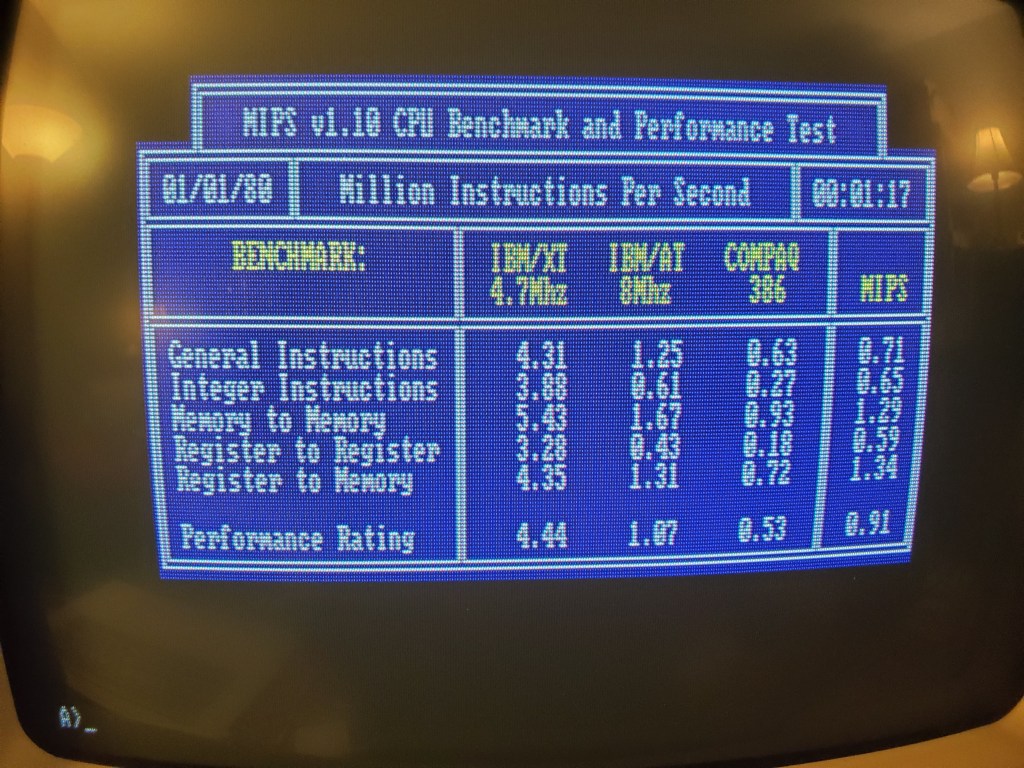
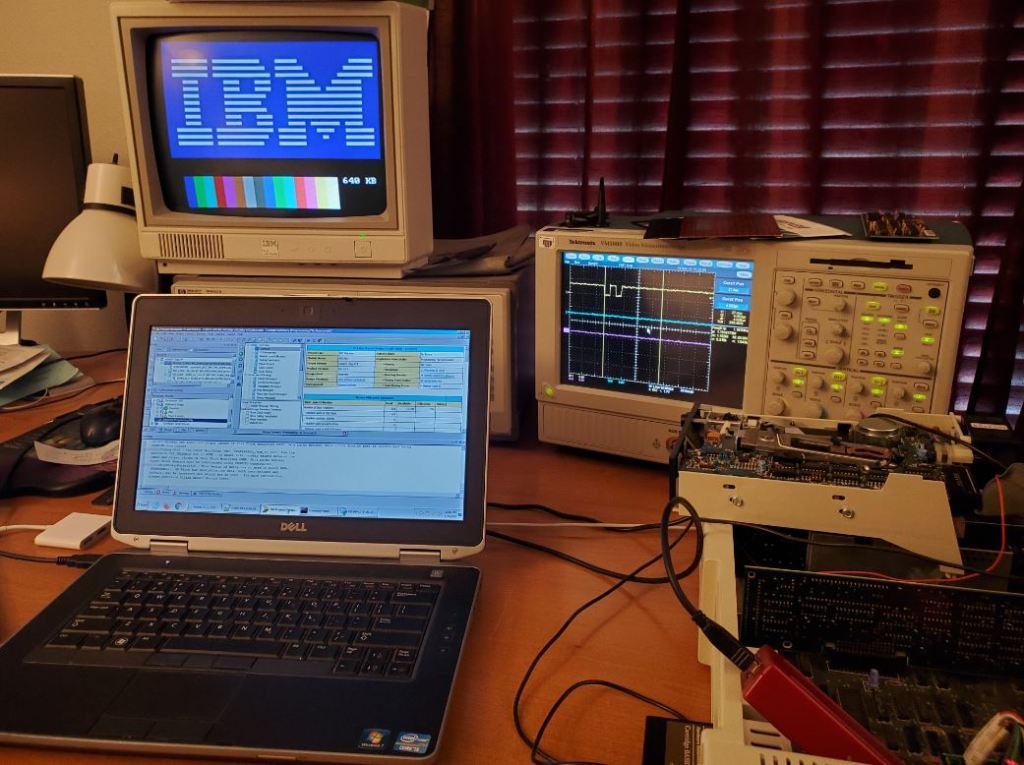
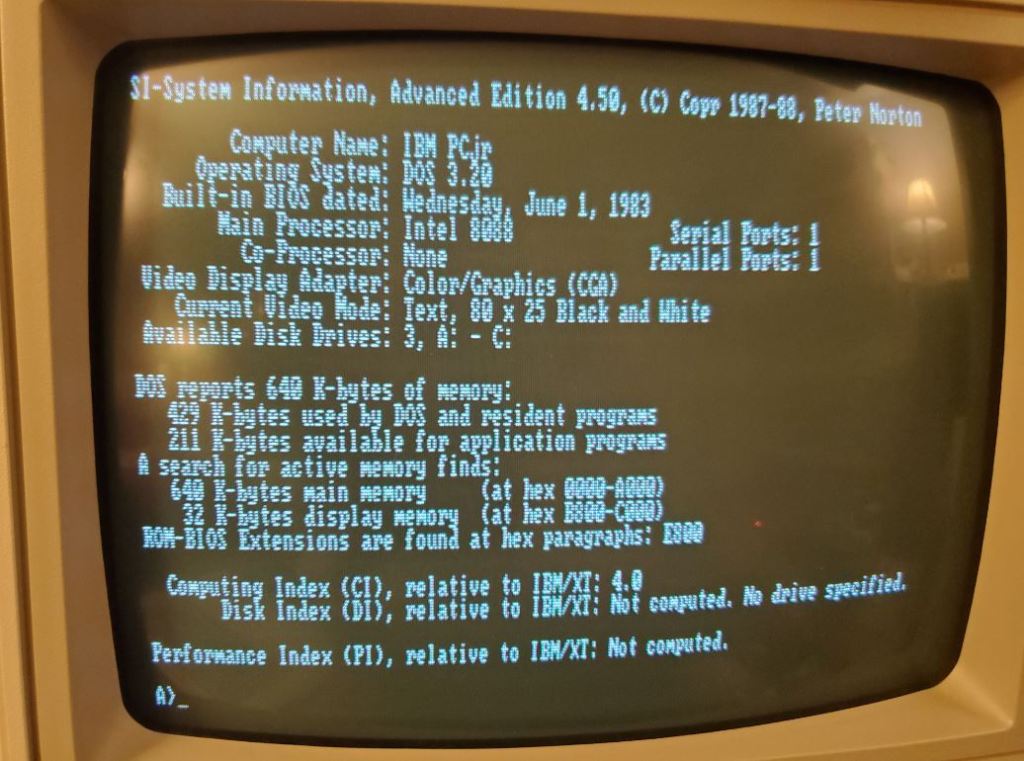
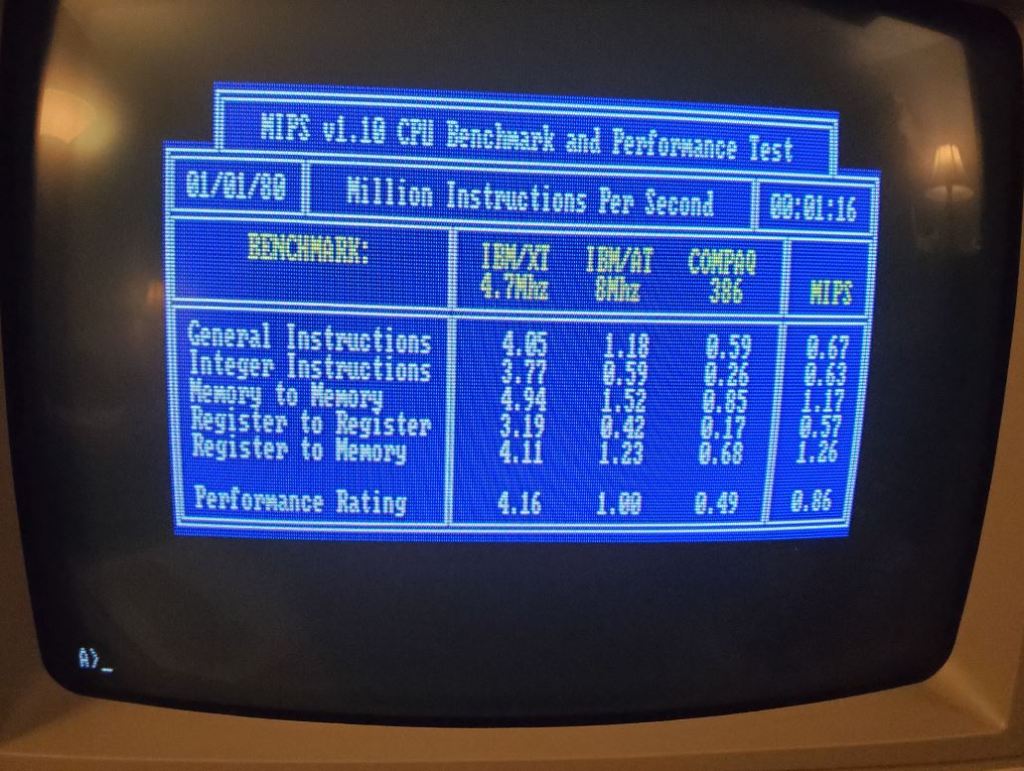
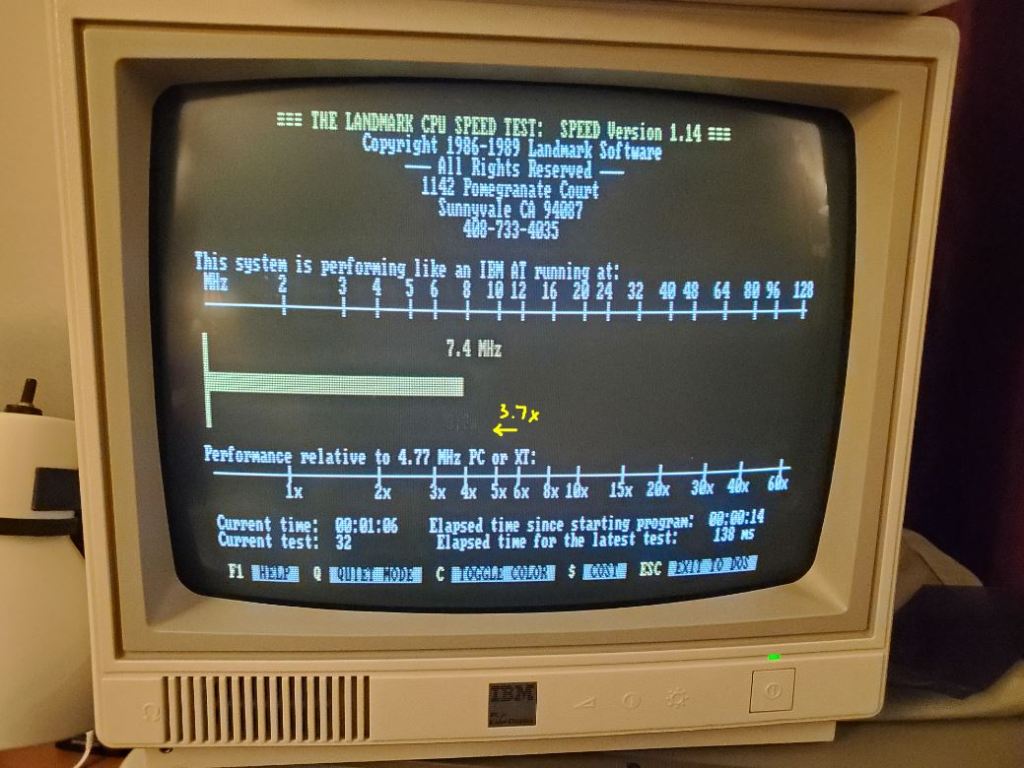
I have finished tweaking the performance of this card and Im happy to say that it increases the PCjr’s speed by nearly 6X, over 4X faster than an IBM PC/XT, and about as fast as the 8Mhz IBM PC AT! I took some screenshots below of the latest performance numbers.
The FPGA is a Xilinx Spartan-6 which contains the MCL86 microsequencer-based 8088 core and two SRAM controllers for the 512KB of SRAM on the board. The slow controller runs at the bus speed of the PCJr so that when using the cycle accurate mode it will perform the same as the regular physical DRAM on the PCjr’s motherboard or side-card. When the MCL86jr is put into “unlocked” or non-cycle accurate mode, it then uses a fast SRAM controller which accesses the SRAM the fastest possible speed of around 50ns! It is the combination of this fast controller and the CPU running in non-cycle accurate mode that allows the MCL86jr to boost the PCjr’s speed by more than almost 6X!
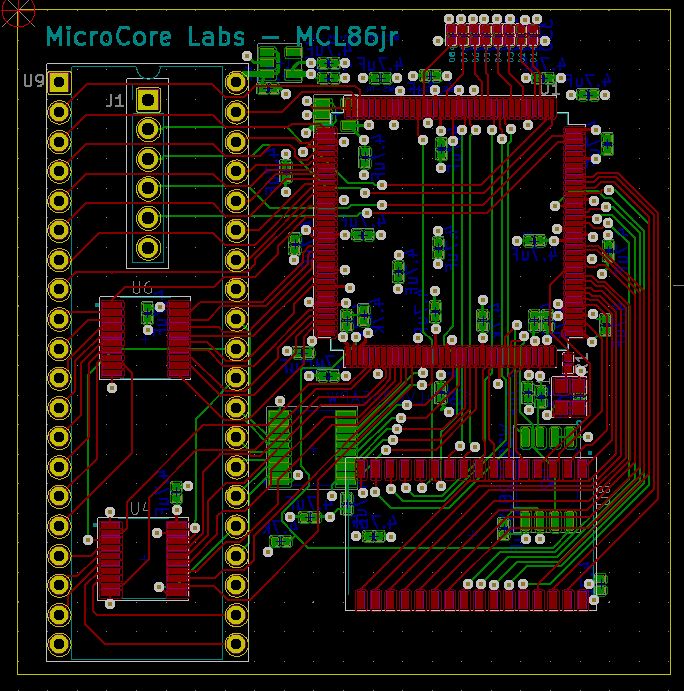
The schematics and layout was done using KiCad and the board was manufactured and assembled by PCBWay with a total total cost per board of around $50.
I was able to successfully test a number software packages and tools which will be listed at the bottom. There are a few issues that arose when using the MCL86jr Accelerator board in the PCjr. One is that the PCjr’s internal diagnostics, which are started by pressing Ctrl-Ins-Del do not all work. Another is that the PCjr’s BASIC cartridge does not work, but the BASIC included with any DOS version does work. So does the PCjr’s internal cassette BASIC. I believe both of these issues are due to speed differences which IBM is checking. Perhaps it is a way to ensure this version of BASIC will only run on a PCjr and not any other machine…
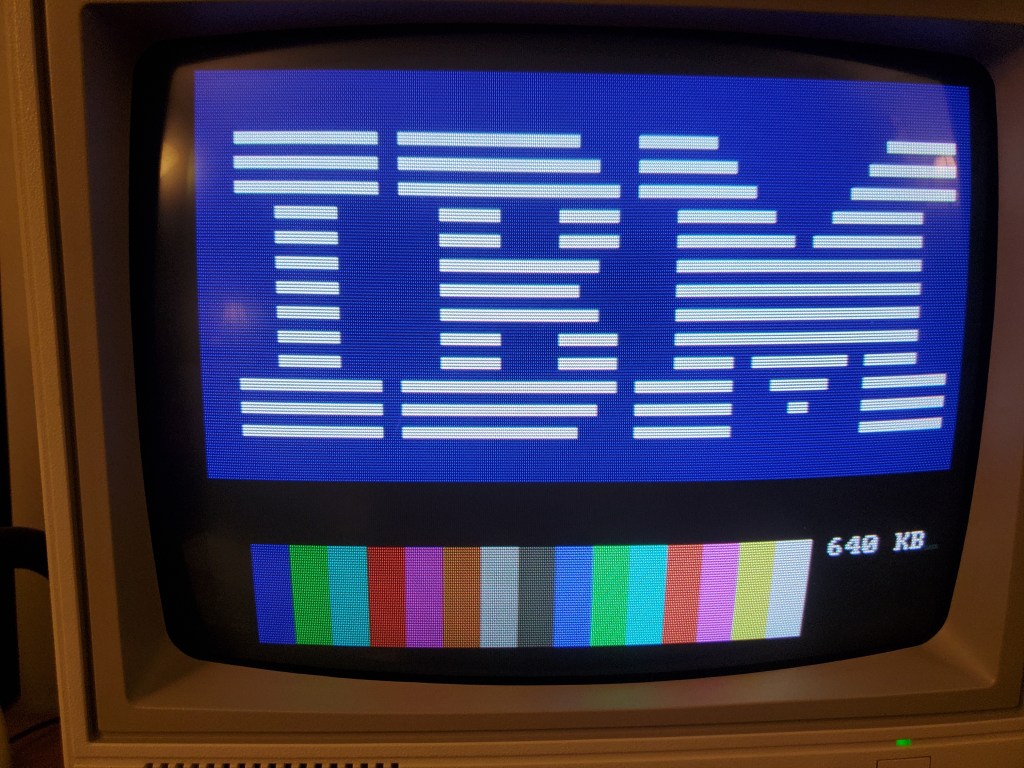
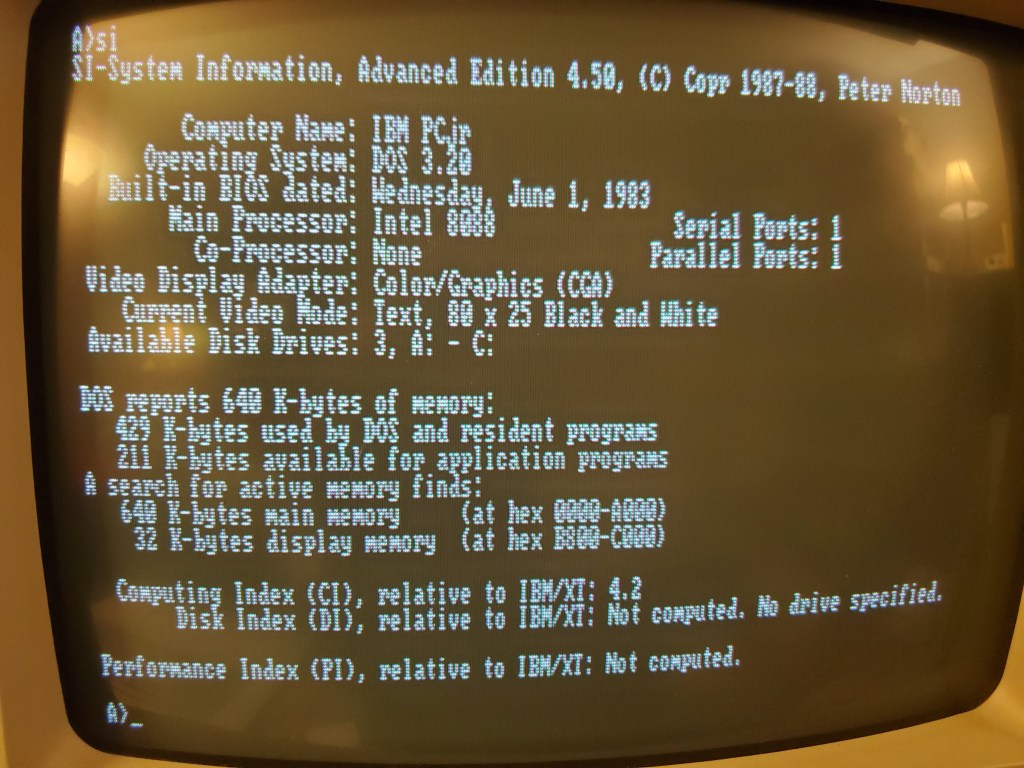
The MCL86jr will boot into cycle-accurate mode with an additional 512KB of RAM which brings the total memory to the maximum of 640KB. To run in accelerated mode the user can run a small DOS program called MCL_FAST.COM. The program MCL_SLOW.COM will bring the CPU back into cycle-accurate mode.
Software verified to work:
DOS 1.0 DOS 2.0 DOS 2.1 DOS 3.1 DOS 3.2 ITT DOS 2.11 BASIC ** Disk version with PCjr cartridge BASIC not installed BASICA
IBM PCjr Sampler PrintMaster Plus Exploring the IBM PCjr
PC-TALK III IBM Macro Assembler 1.0 Turbo Pascal 2.08 — Runs obviously faster in “unlocked” mode Norton Utilities 3.0
Pango Archon Lode Runner Space Invaders Jumpman King’s Quest I Gato Shamus Zork Microsoft Flight Simulator II Tapper Congo Bongo
I made some feature and speed improvements to the MCL86jr board which set a new speed record for the World’s Fastest PCjr!
The MCL86jr board brings the PCjr’s total memory to 640KB and supports 8088 cycle-accurate mode as well as an “unlocked” mode which makes it around 4X faster than the IBM PCand about as fast as an IBM PC-AT!
I added two controllers to access the 512KB of SRAM. One of them runs at the 8088 bus speed which is just as fast as the memory you would plug into the side of the PCjr and runs about 1uS per access. The other controller, when selected, runs at the speed of the SRAM which is 50ns. The slower controller is used in 8088 cycle accurate mode and performs identically to the PCjr’s physical memory. The fast controller is used in “unlocked” mode and runs many times faster than the original hardware.
I also reduced some register pipeline delays in the FPGA which increased the performance to a new record.
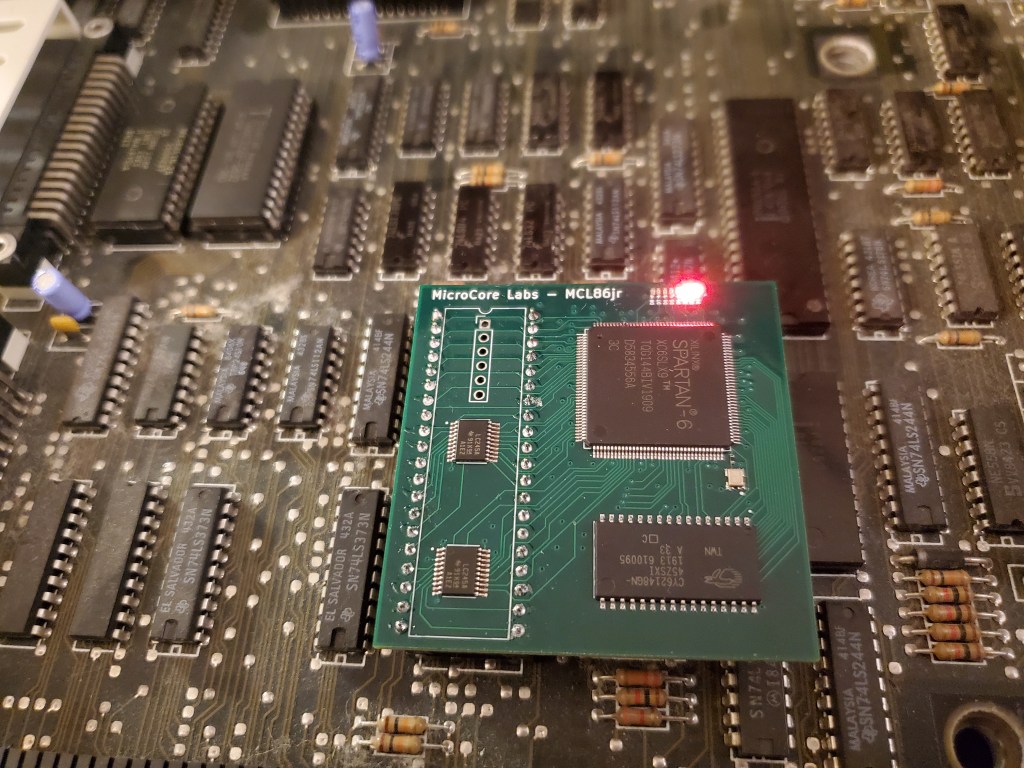
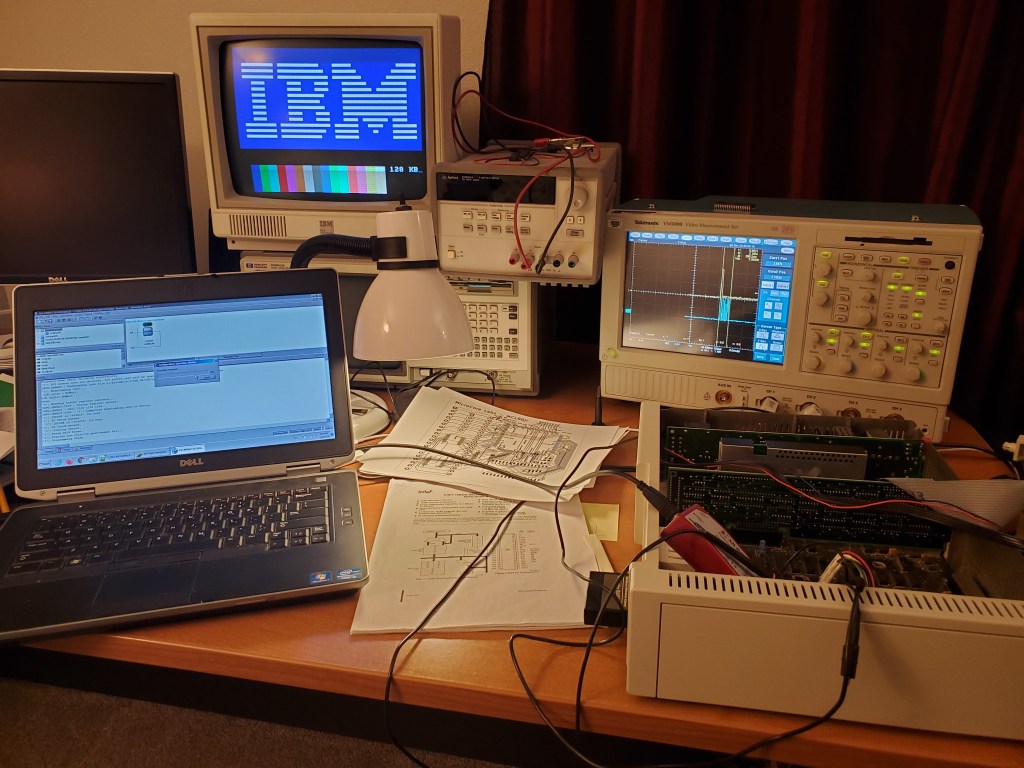
I just received the MCL86jr board in the mail today and it seems to be working great! I was able to program the FPGA and the attached SPI flash, and then use it to boot the PCjr! I added a DIP adapter so that the pins on this board would not bend and it all fits perfectly under the disk drive carrier!
The initial FPGA code contains the MCL86 CPU core and an 8088 BIU so that it can be used on the PCjr. The next step is to add an SRAM controller so that the additional 512KB can be available to the computer which brings system memory to 640KB. After that I will add registers to provide the ability to run the CPU core as cycle accurate or unlocked mode which allows the PCjr to run significantly faster. I will also add a “fast” SRAM controller which can access the 512KB of memory within 50ns rather than at nearly 1uS as as it would for cycle accurate bus mode.
There is also 32KB of block SRAM in the FPGA which I may use to store PCjr cartridges or the XT-IDE boot image. I will also add the ability to change the computer type-ID to a PC,XT, or AT. This will all be under register control so no jumpers or switches will be needed!
PS: Those red LEDs blink back and forth like KITT from Night-Rider!
I just finished the layout for the MCL86jr, which is a small board which can replace the 8088 CPU in the IBM PCjr. It uses my MCL86 CPU core with a “minimum” mode BIU (Bus Interface Unit) and is implemented in a Xilinx Spartan-6 FPGA. The board contains a 512KB Static RAM which can bring the PCjr’s total RAM to 640KB or can be used to mirror and accelerate the BIOS ROM or even load PCJr cartridge images!
The MCL86 core can be used in “cycle accurate” mode to the original 4.77Mhz clock speed, or it can be unlocked to run significantly faster. I used this mode a few years ago to create the world’s fastest PCjr! https://microcorelabs.wordpress.com/2017/01/02/worlds-fastest-pcjr/
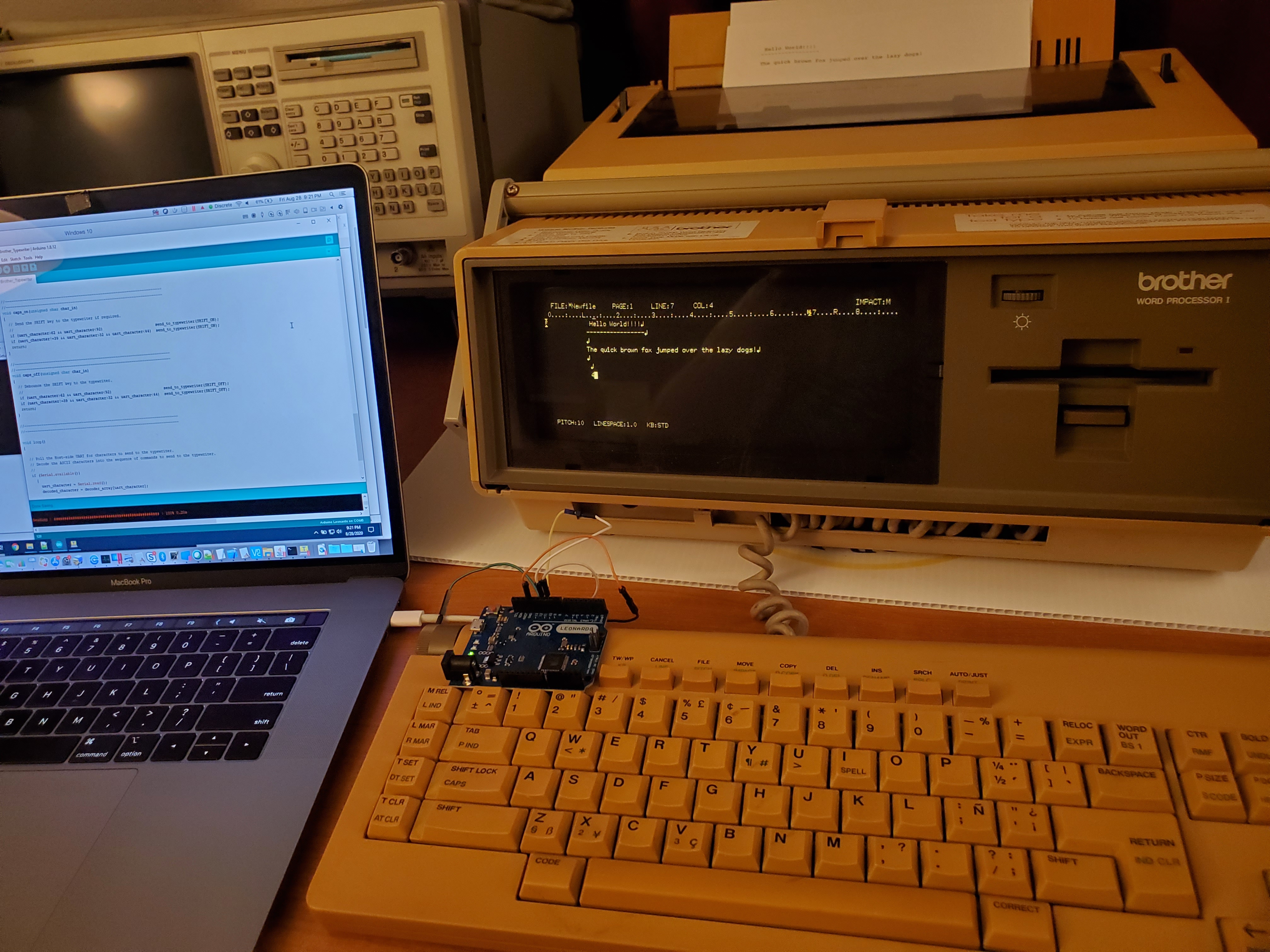
Small project which allows user to control the Brother Word Processor as a remote keyboard using an Arduino. You can paste a block of text into the terminal which will be sent to the typewriter for quick printing!
And here is the source code on GitHub:Â Â GitHub link
This was a small weekend project to have some fun with a vintage typewriter/word processor. The serial interface to the word processor is a simple two-wire interface of clock and data where characters are sent as 8-bits. The longest part of the project was using the logic analyzer to examine what the encoding was for each character!
I recently helped my friend Clive “Max” Maxfield with his 12×12 ping-pong LED array by making a simulator which runs on the Arduino GUI so that anyone can create and test a program to run on Max’s LED array.
The idea is that people can develop their own application and test it using my simulator, then submit it to Max so he can run it on the real 12×12 LED array. He will then post a video of the submission!