Runs fairly well with a few issues most likely due to timing differences between the MiSTer emulated motherboard peripherals and the real IBM PC.
Uncategorized
Osborne 1 Debug with MCLZ8
I recently purchased an Osborne 1 computer which was not able to boot but was in very good cosmetic condition so I thought it would be a good opportunity to try the my MCLZ8 on another vintage Z80 machine.

When the computer is turned on it made a continuous beeping sound, the disk drive was running non-stop, and there was random data on the screen. The first step was to open the machine and test the voltages which were all within specifications. Actually, the first-first step was to put some tape over the speaker as this beep was very loud and annoying! 🙂
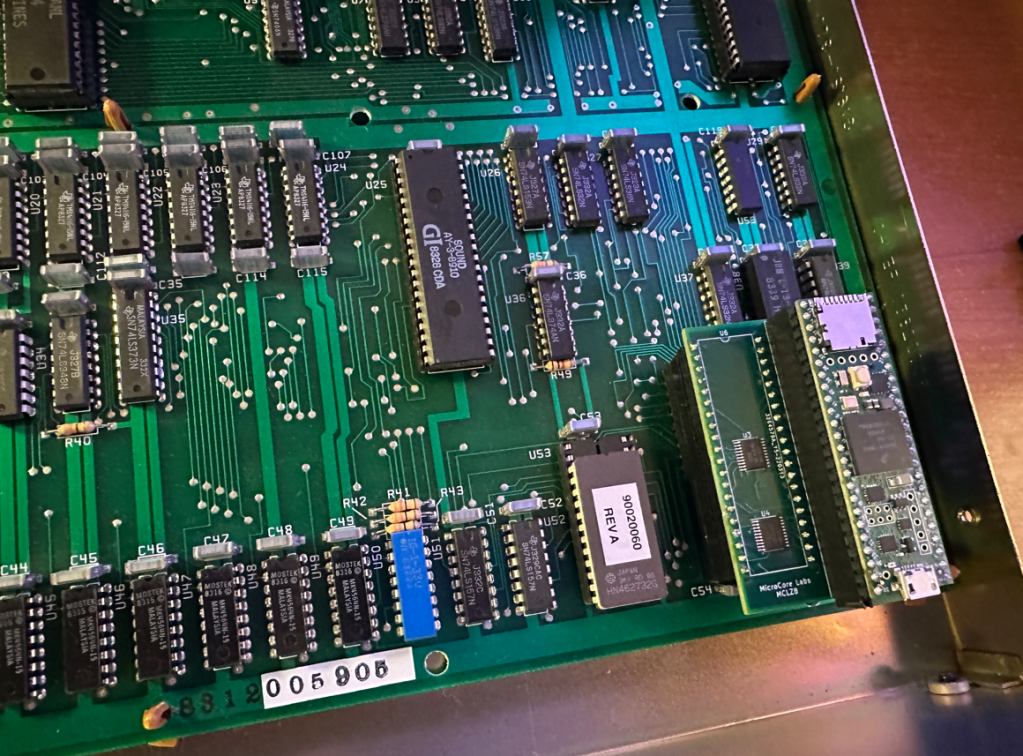
Next I removed the Z80 and installed the MCLZ8 to test DRAM for any issues. I added a few lines of code to the MCLZ8 after RESET was de-asserted to write and read from the 64KB of DRAM using BIU reads and writes. I found that the first three DRAM banks were ok and that there was a stuck bit on bit[5] of the fourth bank. Here is a pic of the socketed and replaced it with a spare DRAM from my Apple II+. You can even see the Apple logo on the chip!

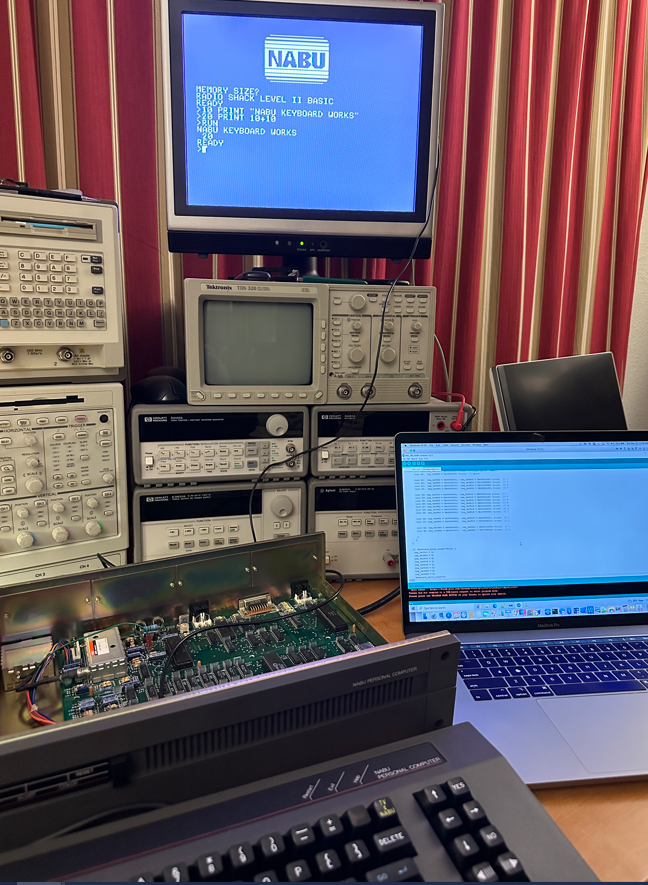
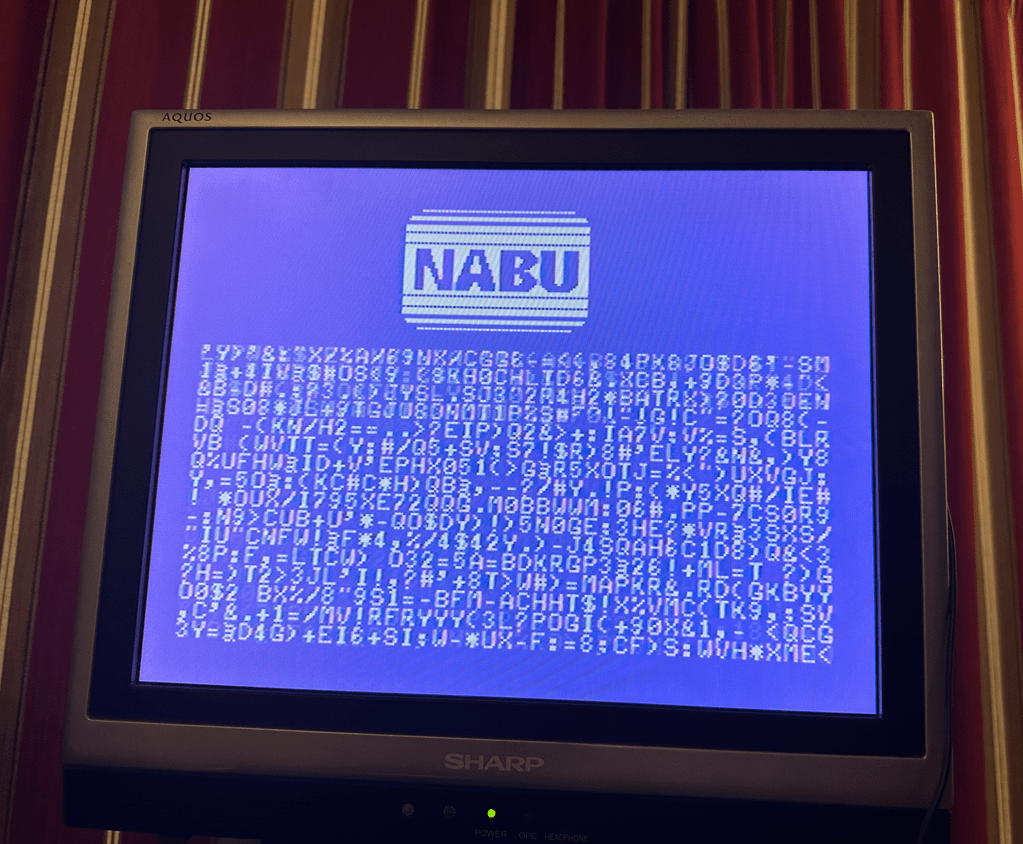
After that the machine was able to print to the screen! This banner was, however, flashing continuously and it took me a while to understand that it was because there was a stuck key(s) on the keyboard. When the keyboard was unplugged the flashing went away.
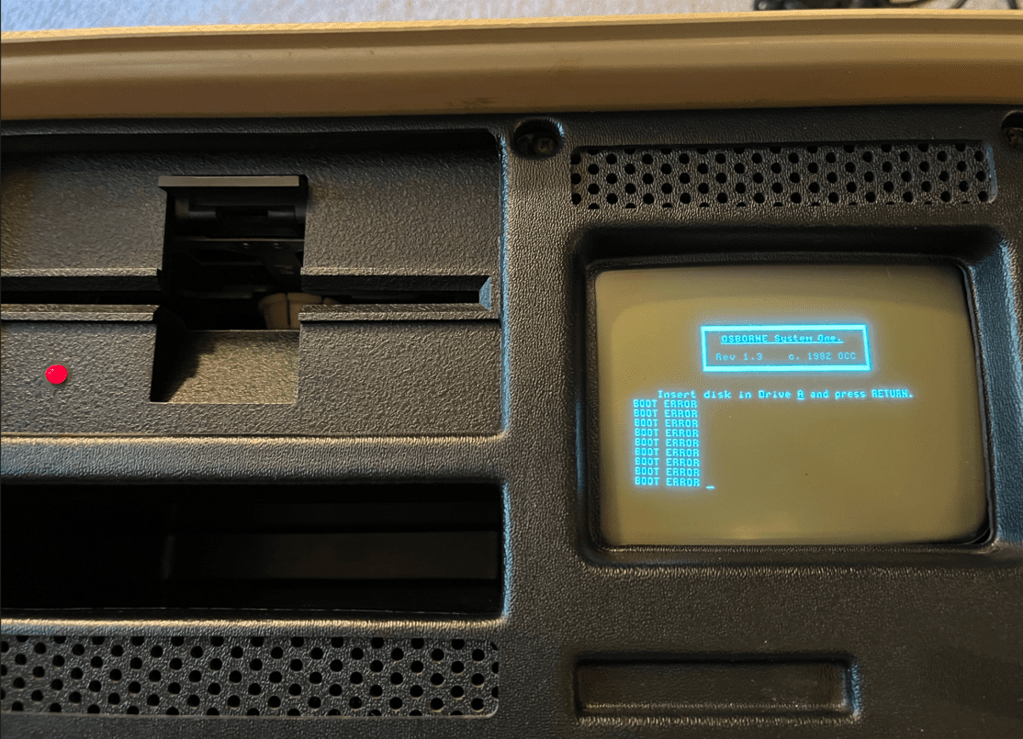
I used a trick I found on the web to simulate an Enter-key keypress by shorting keyboard connector pins 3 and 15 momentarily. When this was done it went into a loop reporting BOOT ERROR. Light criticism, but would have more accurate to say there was no disk present…

At this point I believe the machine is ready to boot from diskette, but I don’t own any to test with!
It appears that the only issue with the computer is the stuck keyboard, so I will probably leave that to the next enthusiast to debug and solve!

The construction is a bit flimsy but it is an otherwise attractive machine. I like it!
And I am also happy that I was able to use my MCLZ8 to quickly isolate the faulty DRAM out of the 32 possibilities.
MCL86+ 8088 Accelerator Update
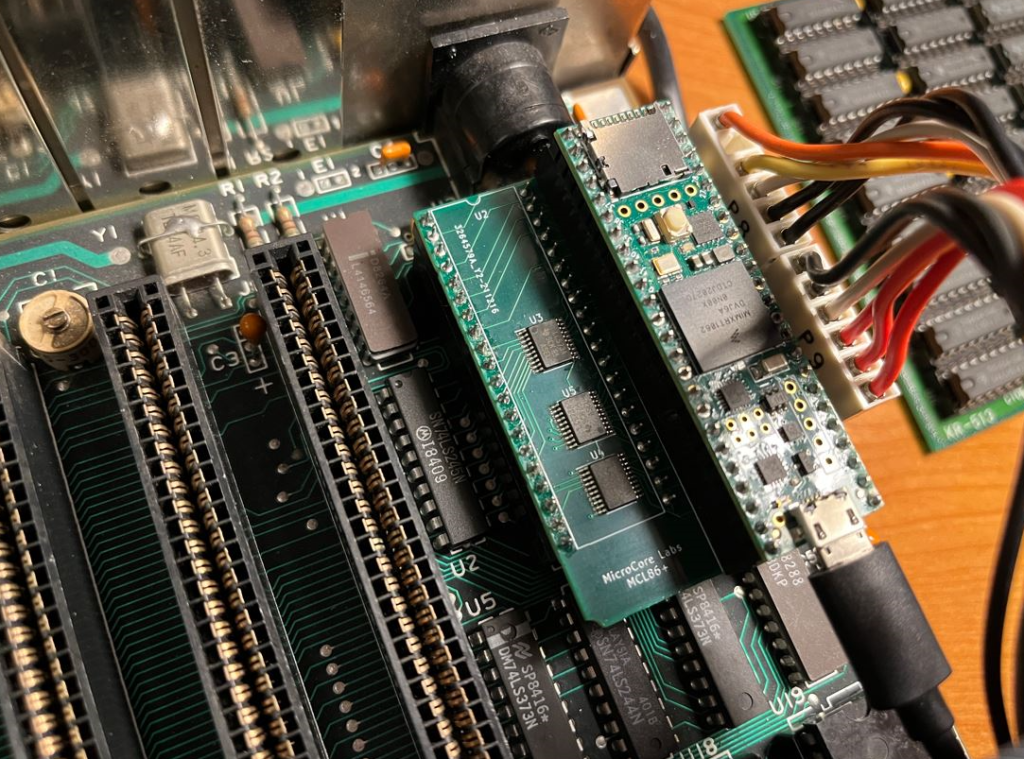
I updated the MCL86+ code with a new acceleration mode which mirrors 256KB of the IBM XT’s motherboard RAM and ROM using the Teensy 4.1 internal memory and disabling the 8088 cycle accuracy.
One obstacle was that the IBM PC uses DMA for disk accesses which results in the contents of motherboard DRAM being different than the contents on any mirrored memory inside of the MCL86+ emulator. The fix for this is to copy the physical memory over to the mirrored memory just before the acceleration is enabled. It also requires that, once this acceleration is enabled, one should use a virtual C disk so that DMA is not used. Using an XT-IDE would also probably work since it does not use DMA.
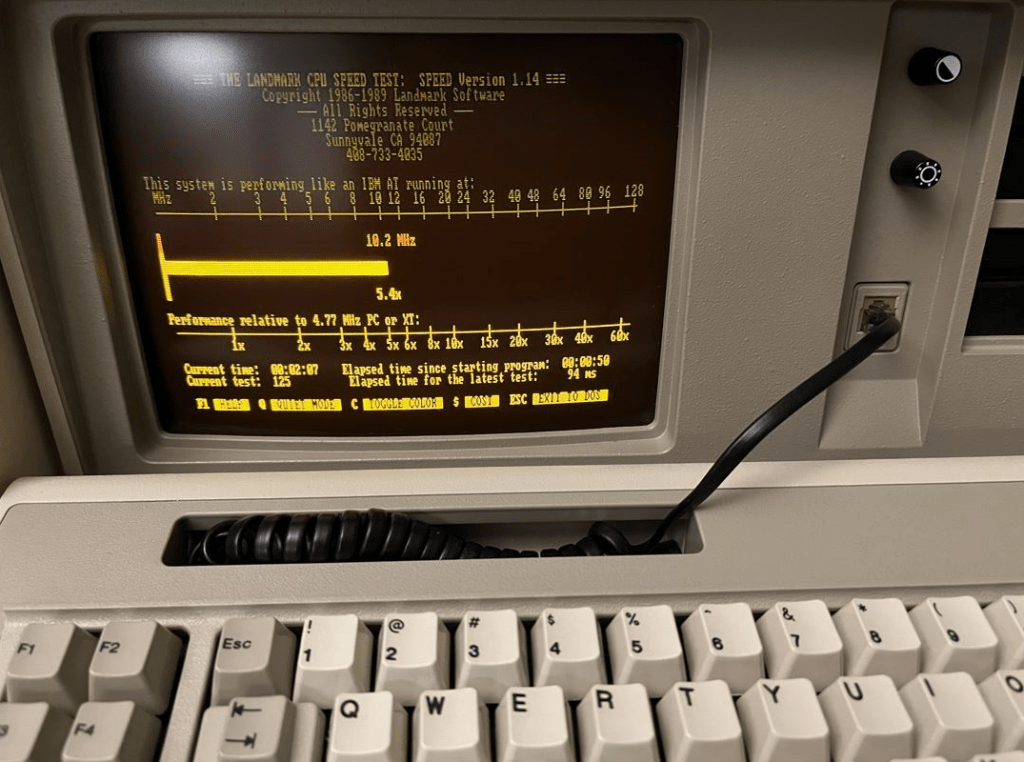
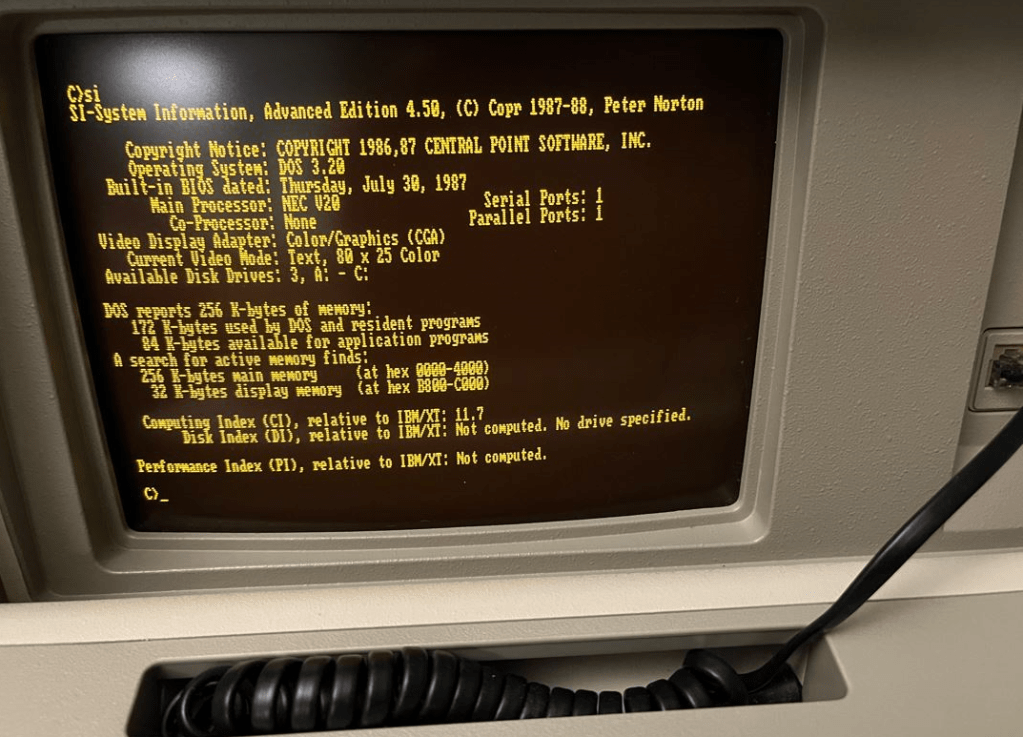
The results is a substantial performance increase! Some tools report that the IBM XT runs at speeds close to an 80386. Not bad for an inexpensive drop-in 8088 replacement processor – and outperforms the V20 by a wide margin!


TRS-80 Model I emulator uses MCLZ8 in a Teensy
I integrated the TRS-80 Model I ROMs into my MCLZ8 Z80 emulator and mapped the UART to the TRS-80’s keyboard and video RAM and now have it running on a standalone Teensy 4.1 board!

I am taking advantage of the high-speed USB UART to display the TRS-80 video RAM contents to the user. Whenever something is written to the video RAM, I simply output the complete 64×16 screen contents to the UART! It goes so fast that it looks like smooth motion – similar to flip-book animation.
In theory, it would be easy to map any memory or IO address to the Teensy’s GPIOs so one could write a BASIC program to control some pins on the board and could even implement a parallel bus… I am using the TRS-80 Model I ROMs at the moment. Probably no reason the Model III ROMs wouldn’t work just as well.
One other neat feature is that you can cut and paste a BASIC program into the UART window so you don’t need to type them in! 🙂
Source code is on GitHub: https://github.com/MicroCoreLabs/Projects/tree/master/MCLZ8/Code
MCLZ8 Project Files on GitHub
I uploaded all of the source code and PCB files to GitHub:
Link here: https://github.com/MicroCoreLabs/Projects/tree/master/MCLZ8
MCLZ8 Videos – Games and Z80 Acceleration
I posted some videos to YouTube of a few games and also a small BASIC program to demonstrate the acceleration achieved when running the MCLZ8 is the maximum acceleration mode.
When using acceleration mode-3 which operates both RAM and ROM entirely inside of the Teensy and is accessed at 800Mhz, the total CPU speedup appears to be between 15x and 20x over the stock Z80! This is with “number crunching” only and not performing any video accesses which would slow down the CPU due to the video memory being located on the motherboard.
Video of Donkey Kong under NewDOS: https://www.youtubecom/watch?v=AHEyADtfJ3U
Video of Zaxxon under NewDOS: https://www.youtube.com/watch?v=NqiwF3rjT58
Video of Acceleration Demonstration under TRSDOS: https://www.youtube.com/watch?v=0iaphw76k6Q
I should have described the acceleration modes are in the videos, so ill correct that here:
Mode 0 – All external memory accesses
Mode 1 – Reads and writes are cycle accurate using internal memory with writes passing through to motherboard
Mode 2 – Reads accelerated using internal memory and writes are cycle accurate and pass through to motherboard
Mode 3 – All read and write accesses use accelerated internal memory
MCLZ8 – Testing Various Applications
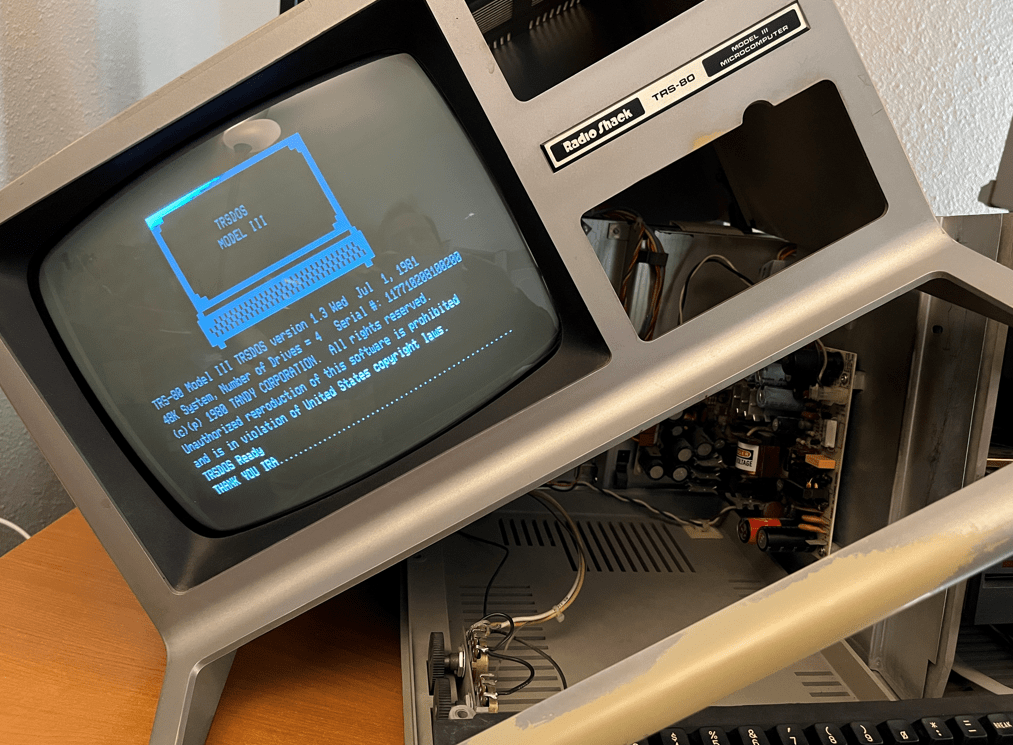
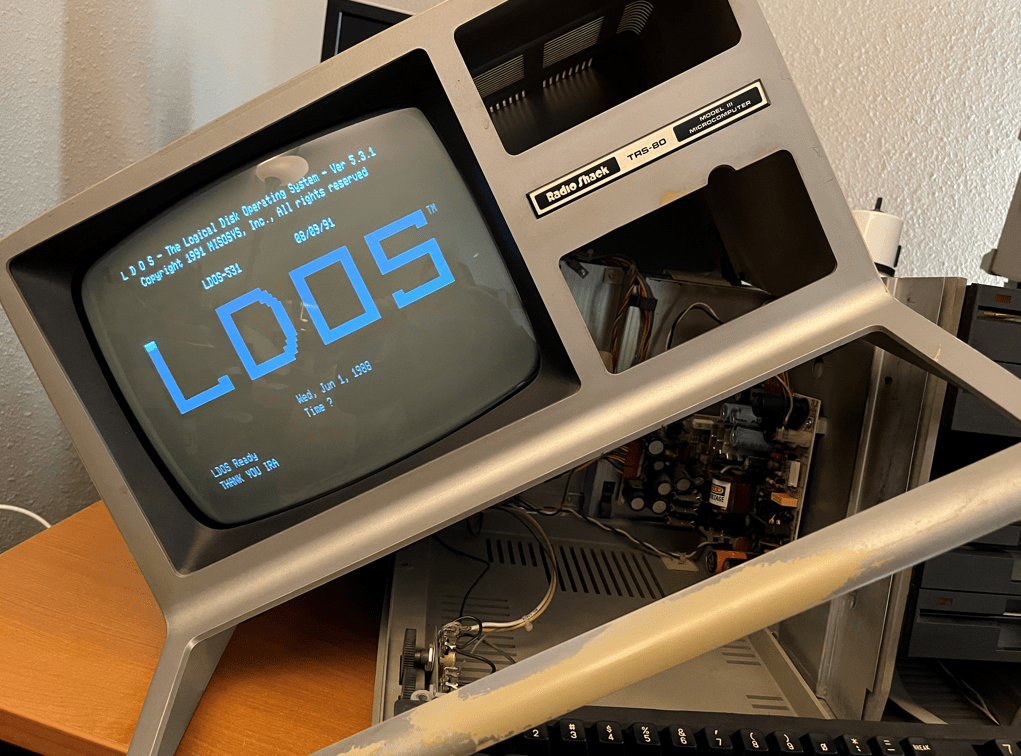
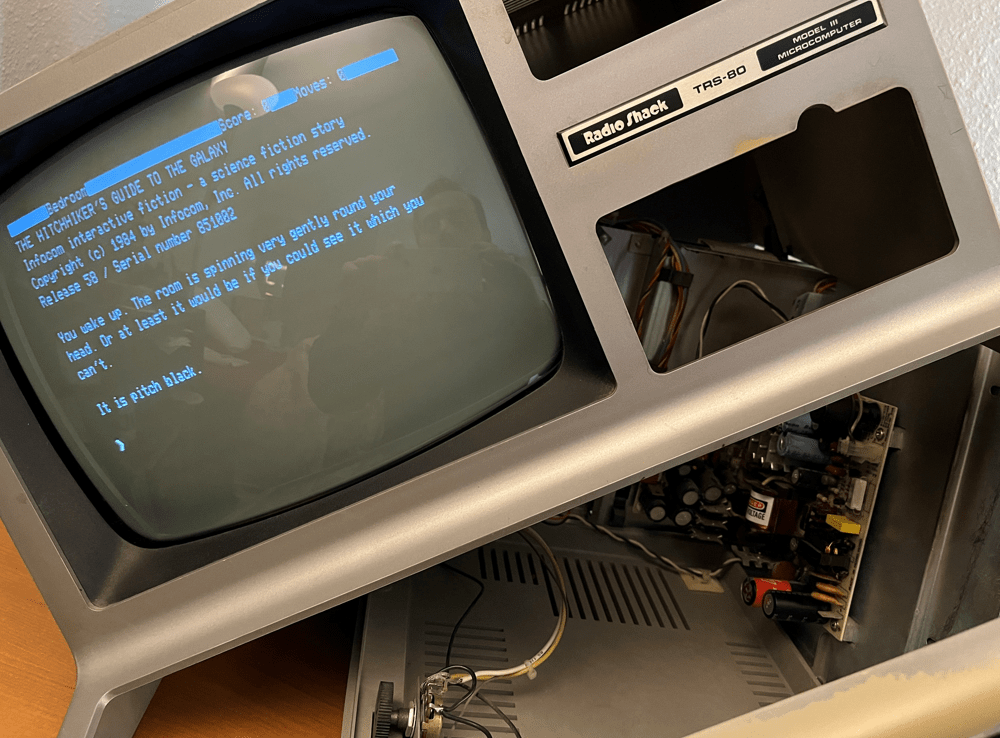
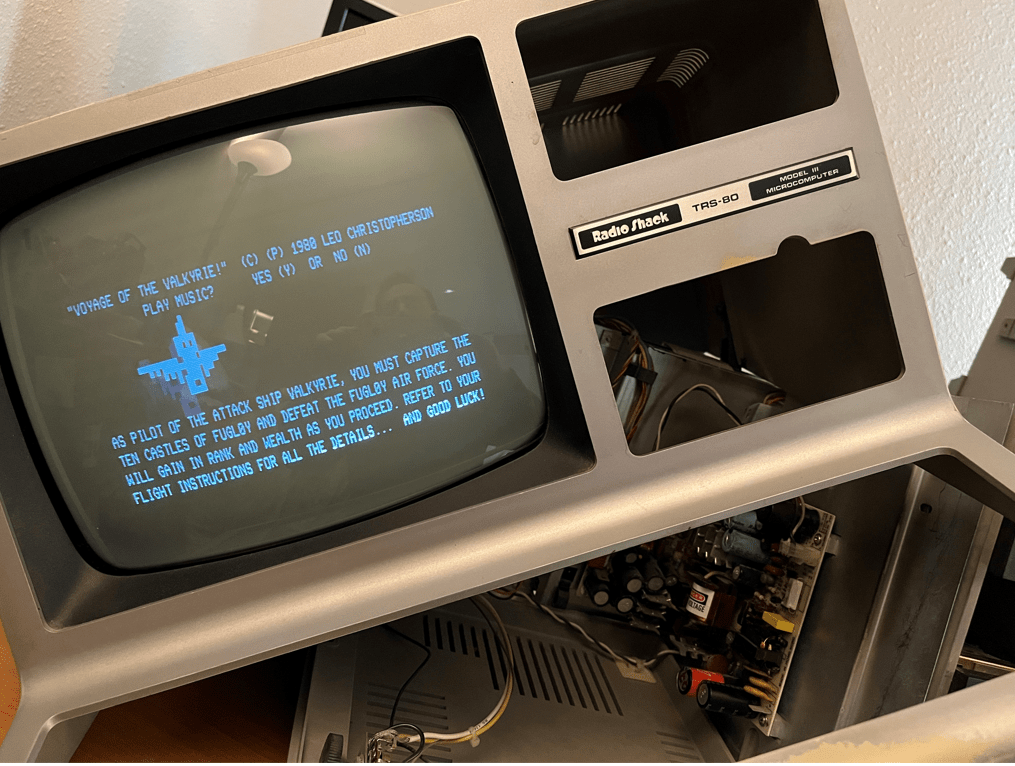
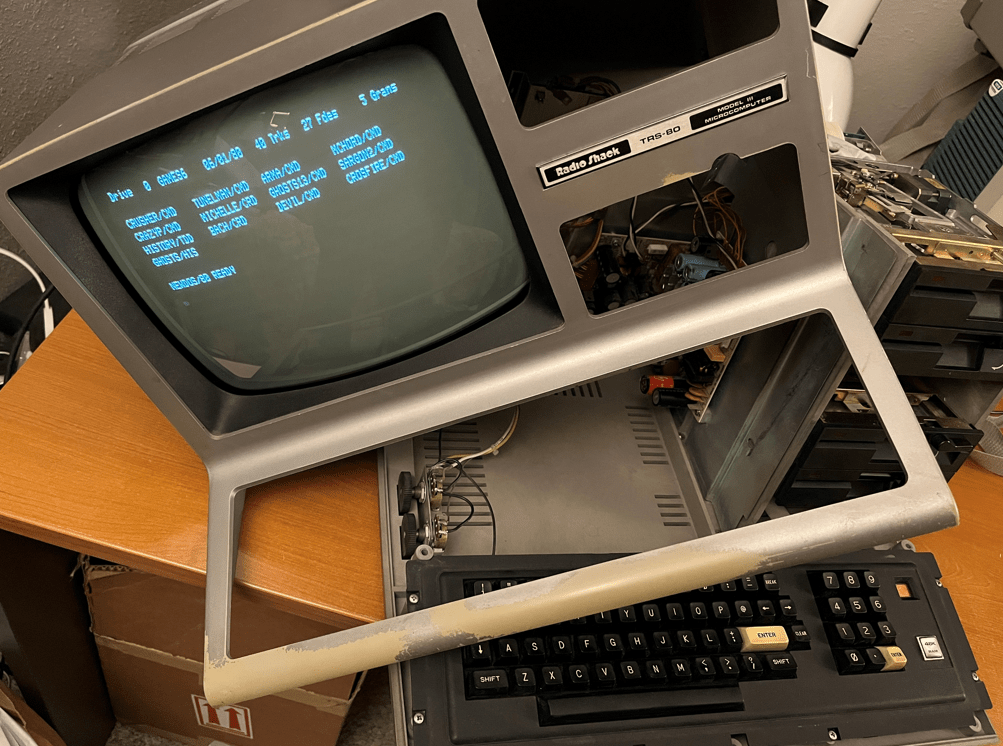
My friend Ira Goldklang at http://www.trs-80.com sent me a number diskettes chock-full of applications to try on my MCLZ8 powered TRS-80 Model III. I’m happy to report that the testing was very successful! All of the DOS’s booted and allowed other diskette applications to be launched, all of the games that I tried seemed to fun fine, and some diagnostic programs reported happy results!
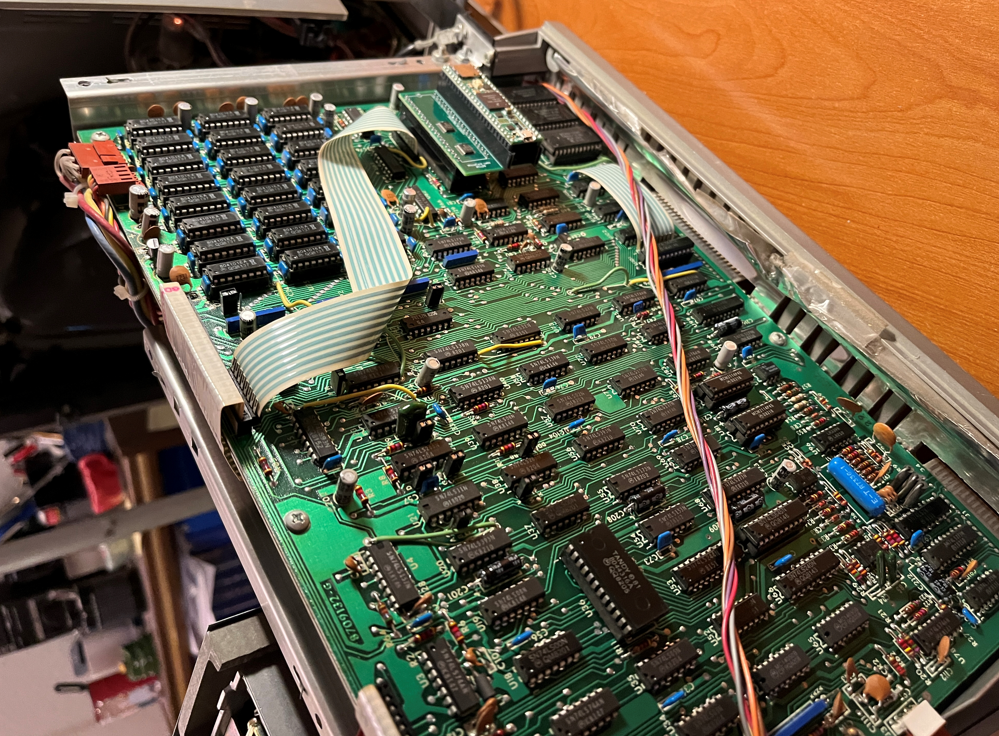
I plan to take a few videos soon, and one them will be of a diagnostic running with max acceleration which is rather amusing! So here are a few pictures of the progress so far and I will post more to this webpage as I try new applications and games


MCLZ8 – Zilog Z80 Emulator in TRS-80 Model III
Update: Preliminary results indicate that the MCLZ8 is more than 15 times faster than the stock Z80 in the TRS-80 Model III. Stay tuned…
My latest project, the MCLZ8, is a Zilog Z80 emulator which can be used as a drop-in replacement for the original Z80. It uses a Teensy 4.1 microcontroller board which contains an 800Mhz microcontroller and a small PCB to perform the voltage translation between the motherboard and the microcontroller. The MCLZ8’s Z80 emulation passes the exhaustive ZEXALL opcode test suite and the speedy microcontroller allows the ability to simultaneously mimic the Z80’s local bus interface.
The MCLZ8 seems to work quite well as a Z80 replacement in a TRS-80 Model III where it runs BASIC and is able to boot from the diskette drive. I have tried NEWDOS and a number of games and I will test more applications in the near future.
Of course the next step will be to see how much acceleration we can achieve! 🙂 If we eliminate cycle-accuracy, locate the RAM and ROM into the MCLZ8’s internal RAM and access them at the top speed of the microcontroller we should get some very interesting results! There have been a number of TRS-80 accelerators over its history, so it will be interesting to see where the MCLZ8 ranks!
But for now I am happy to see the MCLZ8 working inside of this legendary computer!


Zilog Z80 Emulator – MCLZ8
I am beginning work on a Zilog Z80 emulator which runs on an Teensy 4.1 that can be used as a drop-in replacement for the original Z80. I recently bought a TRS-80 Model III to test this with…
The first step is to figure out which Z80 IO’s will map to the Teensy 4.1 and also any buffers that are needed to translate between 3.3V and 5V. I found that four buffers will do the trick with one of them being used to latch the lower eight Z80 address signals.
Many of the IOs will be the same as the MCL86+ which is my 8088 emulator, which will save a lot of time!
The board is now being built, so I have time to write the actual Z80 emulator code. I will start with the bus interface and then expand to support the multiple levels of opcode decode and then the actual opcodes themselves!


MCL86+ Design Notes and Challenges
There were a number of challenges which needed to be overcome to be able to emulate the Intel 8088 correctly, be cycle accurate, and allow the MCL86+ to actually replace the Intel CPU in an IBM PC.
The initial concept was to see if it was possible to use the speed of an 800Mhz microcontroller to both emulate the 8086 instruction set and also manage the 8088’s local bus interface which is running at 4.77Mhz. I had recently finished the MCL65+ which is similar 6502 emulator, however this CPU only runs at 1Mhz – so 4.77Mhz was going to be more challenging, if possible at all…
I wrote some code which performed basic reads and writes on the local bus and was not surprised to find that it did not make timing. I tried direct accesses to the Teensy’s GPIOx registers to allow for a faster and more parallel accesses to the IO pins which still wasn’t fast enough due to the bit shifting and isolating to steer the 8088 address and data signals to the correct Teensy GPIOs. I found that using a few arrays to perform this mapping reduced this translation time significantly. For additional margin I am also running the Teensy 4.1 overclocked at 800Mhz which, according to the GUI, does not need cooling and I have found that it runs reliably at this speed. I also noticed that occasionally 8088 clocks were being lost, so I disabled Teensy interrupts while an 8088 bus cycle is in progress. After this code was running reliably I could then begin development of the MCL86+ PCB.
I used KiCad to generate the schematics and PCB layout. I tried to select Teensy IOs which closely routed to the appropriate 8088 pin and also to maximize the Teensy’s GPIOx register utilization. Because the target of this project was to run on the IBM PC I only needed to support the 8088’s Maximum mode which meant I would only need three 8-bit buffers on the MCL86+ to perform voltage translation. The Teensy 4.1 had enough pins to allow me to separate the databus inputs and output pins which would yield faster bus timing since I would not need to program the Teensy IO/s to change direction between input and outputs.
While the PCB was being built I had time to write the code for the 8086 emulator. A few years ago I wrote an x86 emulator for my MCL86 project which is a microsequencer-based FPGA core which also runs cycle accurate and accelerated modes, so I was already familiar with the 8088’s instruction set and also the “structural” aspects of the processor such as the ordering of interrupts, the operation of the prefix opcodes, and the prefetch queue.
The 8088 emulator code, like the real 8088, is divided into two sections: The Bus Interface (BIU) and the Execution Unit (EU). This allowed me to either use a BIU which accesses the real 8088 pins, or instead use a “fake” BUI which uses arrays for RAM and ROM so I cold develop and test the emulator using command-line C and printf’s. I wrote a number of opcodes tests fort the 8086 when I developed the MCL86, which saved a lot of time debugging the MCL86+.
Of course the MCL86+ did not immediately work when I first plugged it into the IBM PC; however it did fetch instructions and produce some results to the CGA display when I ran the SuperSoft Diagnostic ROM. Some of the initial bugs were that I was not latching all of the 8088 address lines for the duration of the bus cycle. I also was pushing the wrong address to the stack for a CALL opcode, and the final bug was that I was not flushing the prefech queue upon one of the CALL opcodes. After that it was able to run just about any program I tried on it!
The next fun part was to try some acceleration! The first and easing thing to do was to simply disable the clock counter which allows the emulator to be cycle accurate. This yielded a nearly 50% improvement in speed as reported by a few benchmark programs. It was also not such a great degree of acceleration that things like the disk drive, keyboard, and timers seemed to still work.
I then tried integrating some of the motherboard’s RAM and ROMS and running them at the speed of the 800Mhz Teensy 4.1’s microcontroller but got very interesting, yet disappointing results…
When running the SuperSoft Diagnostic ROM the computer ran significantly faster than stock! Perhaps close to 10 times faster… But when I booted to BASIC, it will not able to accept keystrokes from the keyboard,. The speed was also too fast to boot from the disk drive; so I was not able to run any benchmarks to see what the acceleration yielded. One problem is that the IBM disk drives use DMA to copy data to/from the motherboard RAM, but if I emulated this RAM inside of the MCL86+ is it no longer coherent with that on the the motherboard, Perhaps if I had an XT-IDE which does not use DMA I could make further progress.
But, for now the design goals were met and it is time to move on to the next project.
All of the project files, the emulator source, the schematics, and the PCB fabrication files are on GitHub.