Turbo NABU using the MCLZ8

The Turbo NABU project is a drop-in replacement for the Z80 CPU on the NABU’s motherboard which does not emulate the processor but instead controls the motherboard resources using C code running on the 800 Mhz Teensy microcontroller.

The code is compiled using the Arduino GUI and runs directly on the Teensy 4.1’s 32-bit ARM A9 which is an 800Mhz+ superscalar CPU. This provides the ability to write C code to run on this fast CPU in the place of the vintage computer’s CPU!

The Turbo NABU has control over the Z80’s local bus so it has access to all of the motherboard’s peripherals which include the keyboard, video, sound, and anything else accessible by the Z80.

To access the NABU’s video and keyboard I have ported a printf, and scanf, and a small amount of code to access these resources. With these functions you can write programs using regular C code and use printf and scanf to accept input and display the results!

The Turbo NABU would be fun for people who would like to develop programs for this vintage computer while using the modern and easy to use Arduino tools. It is also fun to see these vintage machines running at ridiculously fast speeds!

The code is on GitHub: https://github.com/MicroCoreLabs/Projects/tree/master/Turbo_NABU

I uploaded a video to YouTube demonstrating the Turbo NABU:
Turbo NABU using the MCLZ8

TRS-NABU: TRS-80 Model I Running on a NABU Using the MCLZ8

I thought it would be a fun project to use the MCLZ8 to emulate the Zilog Z80, the TRS-80 Model I ROM BIOS and DRAM, and remap the keyboard and video to the motherboard resources of the NABU Personal Computer. Now the NABU is effectively acting like a Tandy TRS-80 Model 1!

This project was built quickly thanks to already having most pieces from existing projects and only took about an afternoon to complete.

The first step was to confirm that the MCLZ8 would work in the NABU as a replacement CPU for the Z80. The MCLZ8 was previously tested to work on the TRS-80 Model III which has a slower bus speed than the NABU, but it worked the first time without an issue.

Next I added some storage arrays in the MCLZ8 to store all of the NABU’s configuration IO accesses to the video chip and keyboard. This saved me a lot of time so I would not need to learn how these chips worked from the datasheets!

I then added the TRS-80 BIOS ROM and RAM emulation into the MCLZ8 so that all accesses to these memory ranges were handled in the Teensy using an array in C.

The NABU and TRS-80 have different video sizes with the NABU being 40×24 and 64×16 for the TRS-80. Since the NABU had more vertical space I was able to start the TRS-80 video downwards 8 lines which left room to keep the NABU splash screen which I thought is a neat effect! The TRS-80 has more columns so the NABU can only display 40 of them. The characters are still there in video memory, they are just not displayed. I used an array to convert the TRS-80 row/column mapping to the NABU which is faster than performing the math…

The NABU keyboard sends keystrokes as ASCII characters to an Intel 8251A on the motherboard, so I only needed to poll the UART’s status bit and read characters when they arrive. The TRS-80 performs parallel keyboard polling instead of using a UART so I needed to convert from the NABU’s ASCII to the address bit map for each TRS-80 keyboard polling address. This work was done on one of my previous projects which I was able to reuse.

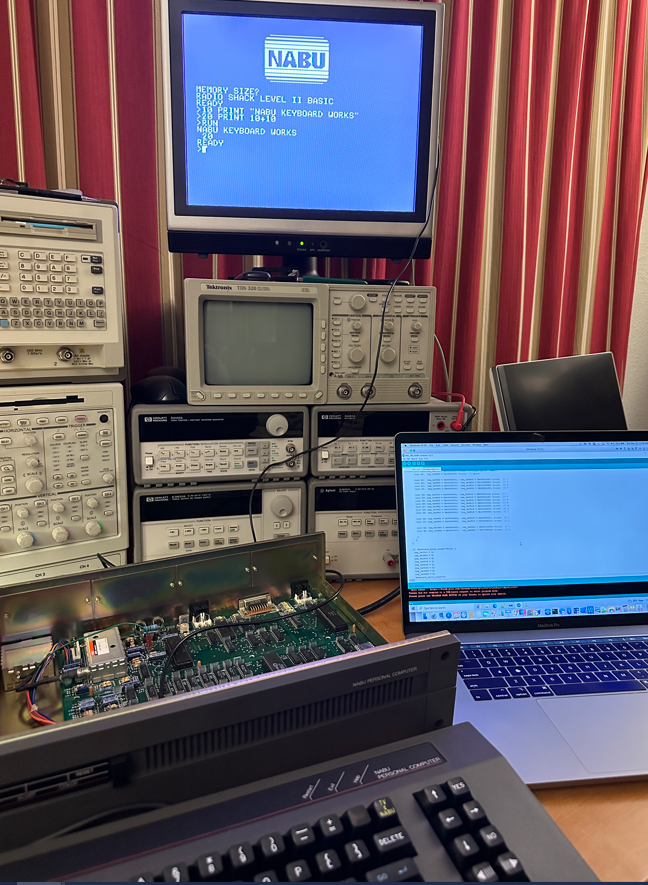
So, that’s about it! The NABU now boots to the splash screen and then runs the TRS-80 Model I Level II BASIC. Below are a few pictures of the machine in action.

The code is here on GitHub:

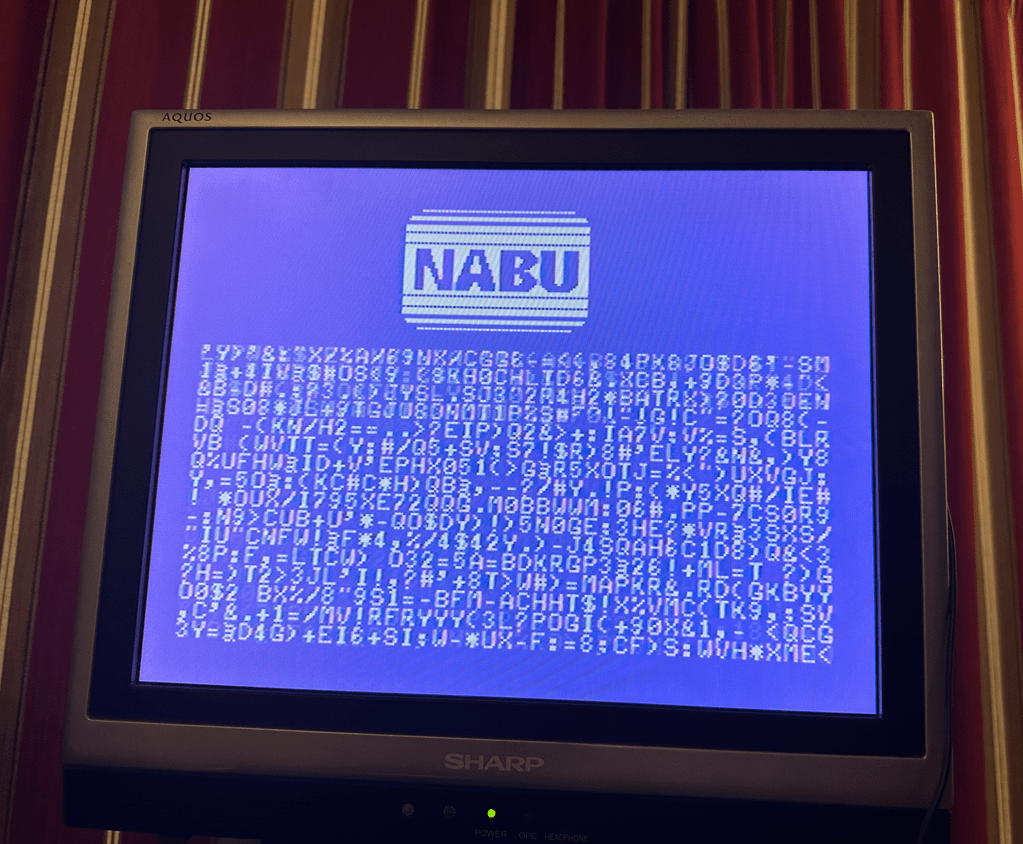
This is a picture of random characters sent to the NABU’s video RAM. It was interesting to find that I need to add a delay of at least 50 uS between each write or else I would get corruption. I guess the chip needed time to transfer the write over to the dedicated video memory…

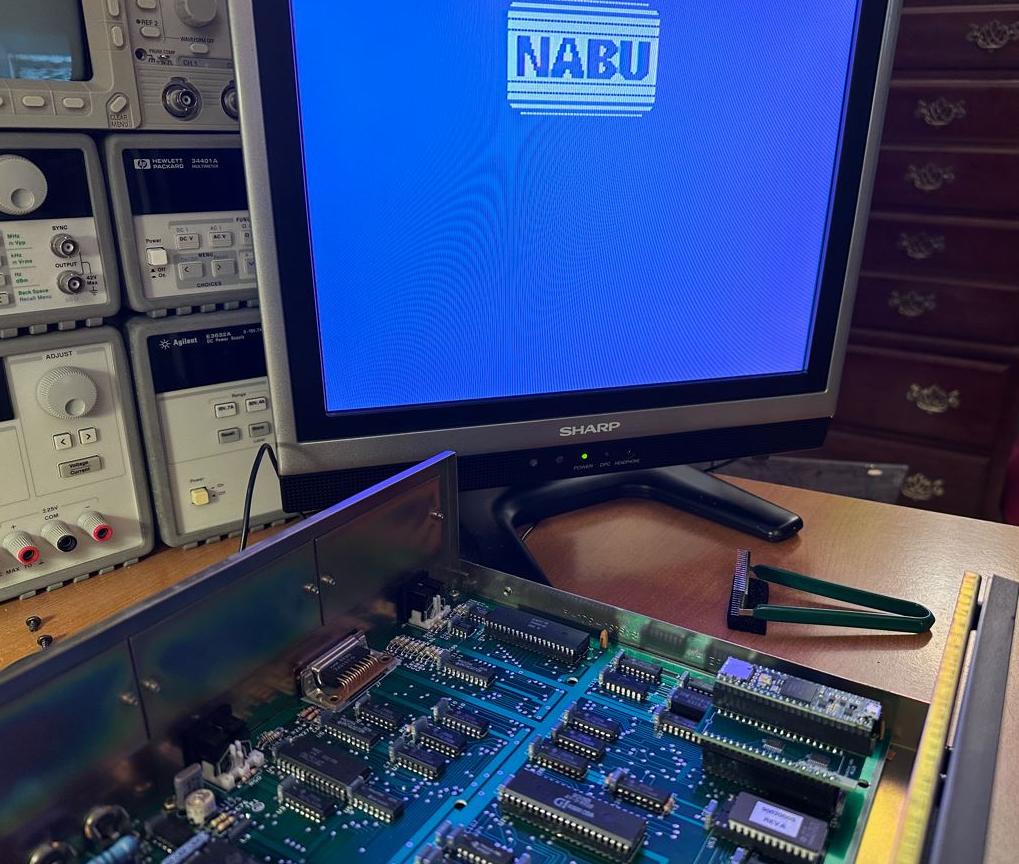
Here’s a picture of the MCLZ8 board replacing the Z80 CPU in the NABU motherboard

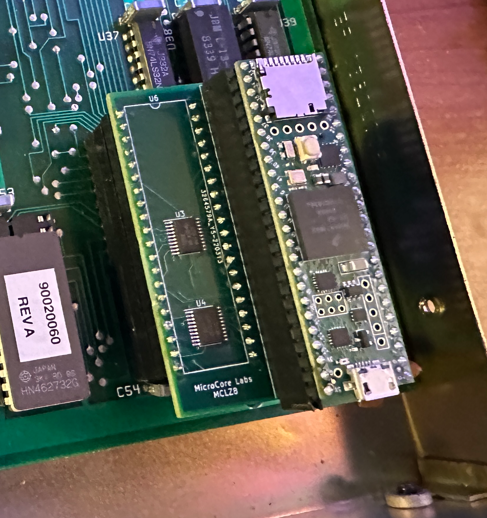
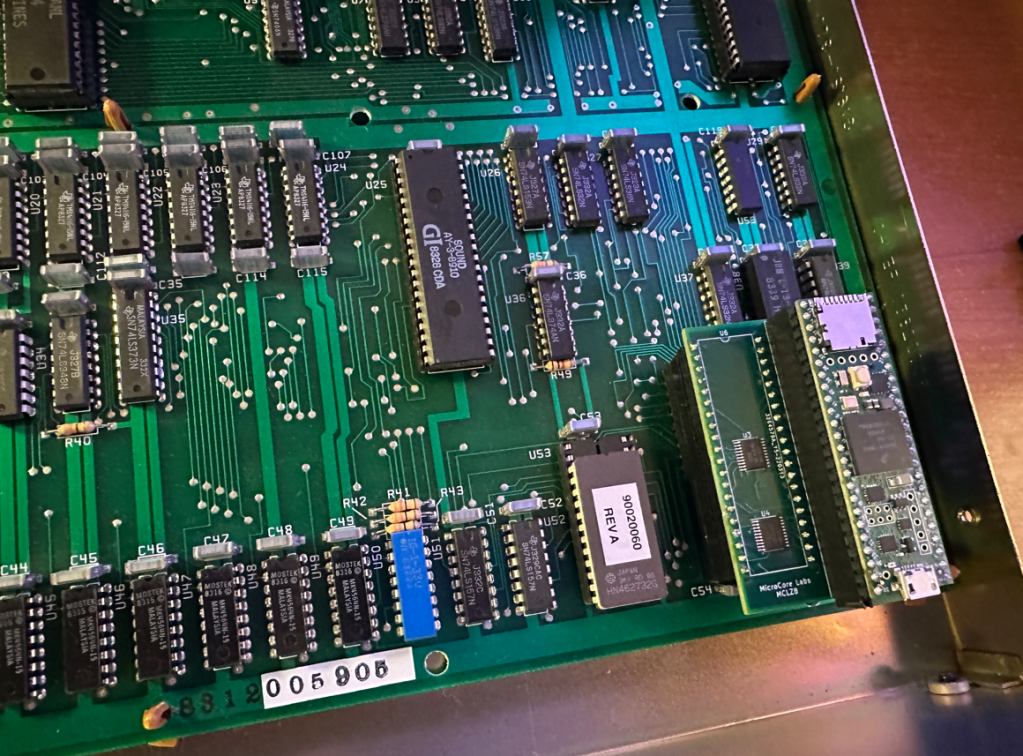
And here is a close-up of the MCLZ8:

TRS-NABU: TRS-80 Model I Running on a NABU Using the MCLZ8

MCLZ8 Fun with the NABU

Received my NABU today, and after some initial checks I tried replacing the Z80 with my MCLZ8. Seems to work fine – and fits in the machine perfectly!

Some ideas about what to do next:
– The MCLZ8 emulates the Z80 but can also emulate the BIOS ROM so I could try a number of the old and new ones out there.
– It might be simple to intercept and swap address ranges to run MSX cartridge ROMs on the NABU. 
– Can create some drivers for the video, sound, and keyboard to allow C code to be run the NABU using the 800 Mhz Teensy 4.1. Sort of like a “NABU Shield” for the Teensy.

MCLZ8 Fun with the NABU